

Deskripsi
Create a professional contact form in minutes, publish it anywhere with a shortcode, and keep every inquiry organized inside WordPress.
UltimaTour Contact Forms is a complete standalone form builder. It does not require an UltimaTour account, a paid plan, an external form service, or another UltimaTour plugin. Build unlimited forms, accept unlimited legitimate submissions, send email notifications, collect secure uploads, and review responses from one focused WordPress workspace.
Built for real business inquiries
Use it for contact requests, quote requests, tour inquiries, employment applications, customer support, vendor questions, group requests, document collection, and more. Start with a ready-made form or build your own with the visual field editor and responsive column layouts.
Your submissions stay useful
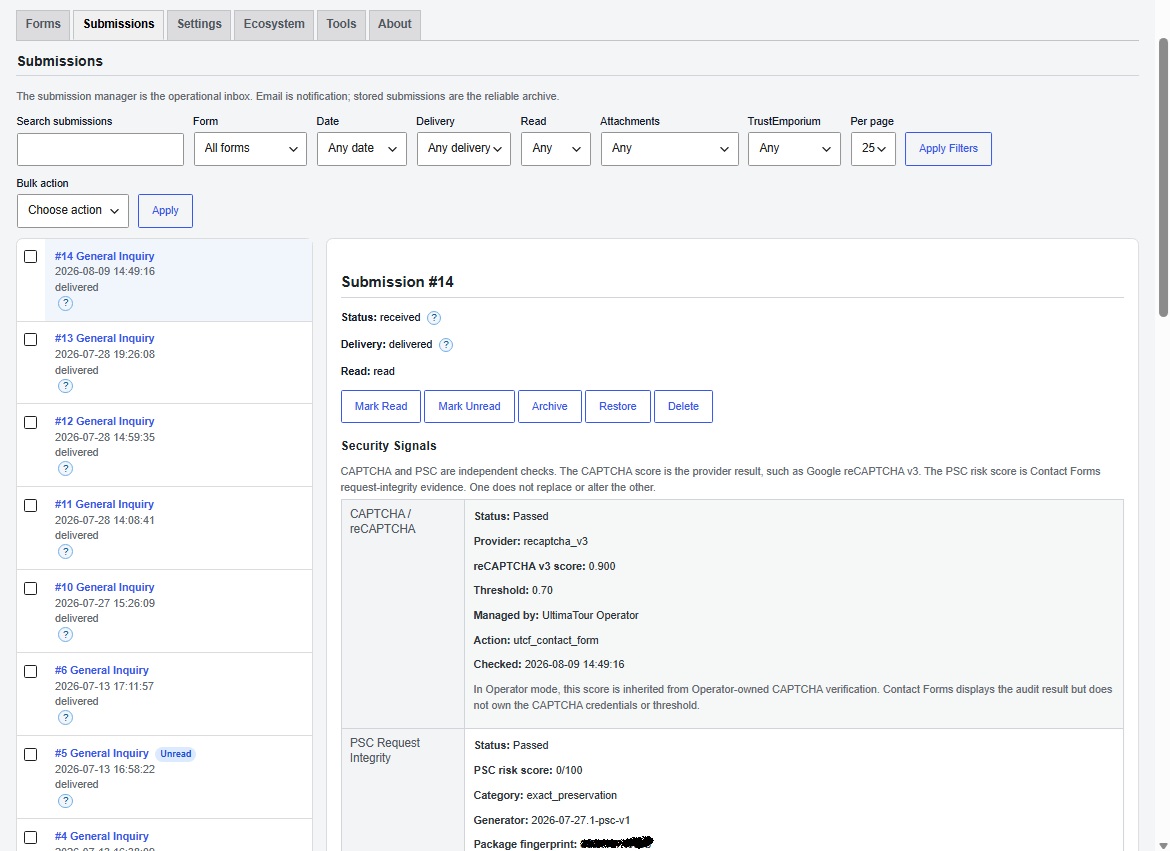
Email is a notification, not your only archive. Submitted entries can be stored in WordPress, searched, filtered, reviewed, archived, exported, and erased through the WordPress privacy tools. Delivery status, security signals, and attachment details remain connected to the submission that produced them.
Security without punishing real visitors
Every submission passes server-side validation, signed timing checks, honeypot protection, rate limiting, duplicate detection, upload validation, and PSC request-integrity checks. CAPTCHA is optional. TrustEmporium advisory enrichment can add useful context when an administrator chooses to connect it, but it never replaces normal validation or silently rejects a legitimate inquiry.
Works alone. Works smarter with Operator.
Standalone sites receive the full core contact-form experience. When UltimaTour Operator is installed, Contact Forms can reuse Operator-managed business identity, branding, mail, CAPTCHA, audit, and TrustEmporium services instead of asking the administrator to configure the same information twice.
Five-minute start
- Activate the plugin.
- Open Contact Forms and edit the ready-to-use Partner Contact form.
- Choose Publish, copy the shortcode, and place it on a page.
- Send a test submission while logged out.
- Review it under Contact Forms > Submissions.
No account, license key, CAPTCHA key, or Operator installation is required for those steps.
Features
- Unlimited forms with no artificial submission cap.
- Visual form builder with templates and responsive layouts.
- Text, email, telephone, number, URL, choice, date, time, display, hidden, and upload fields.
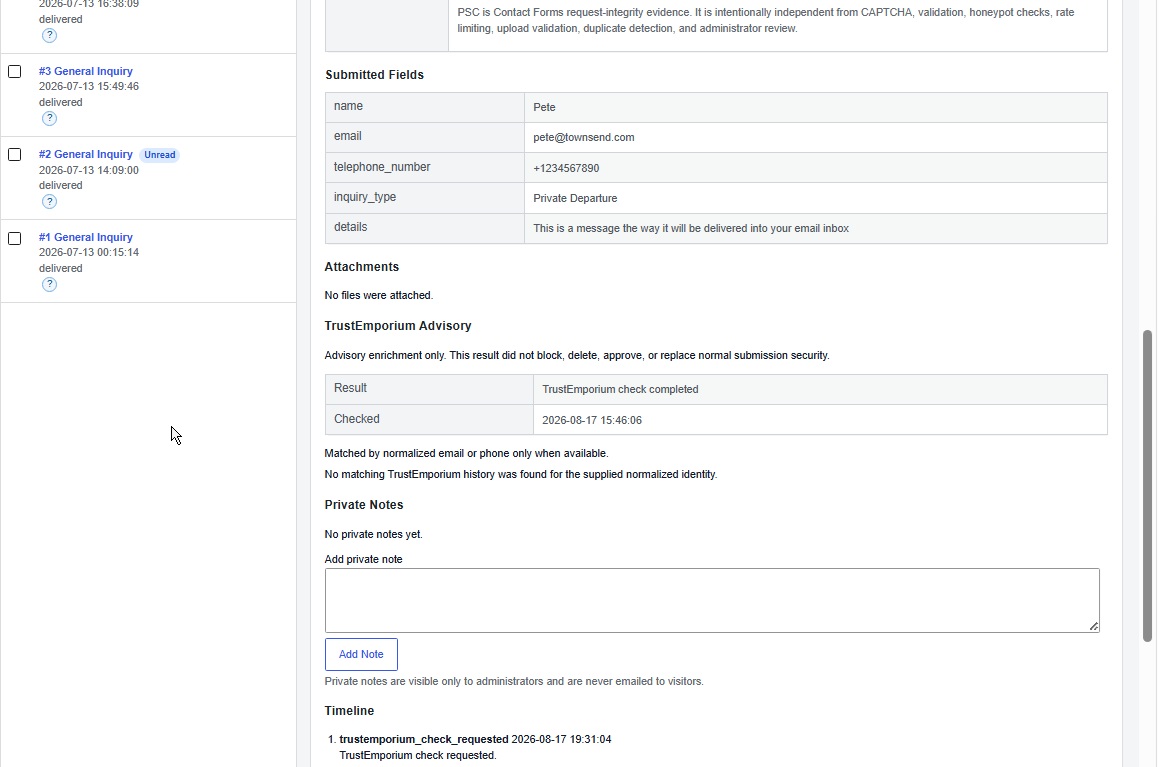
- Stored submission inbox with search, filters, status, notes, timeline, and pagination.
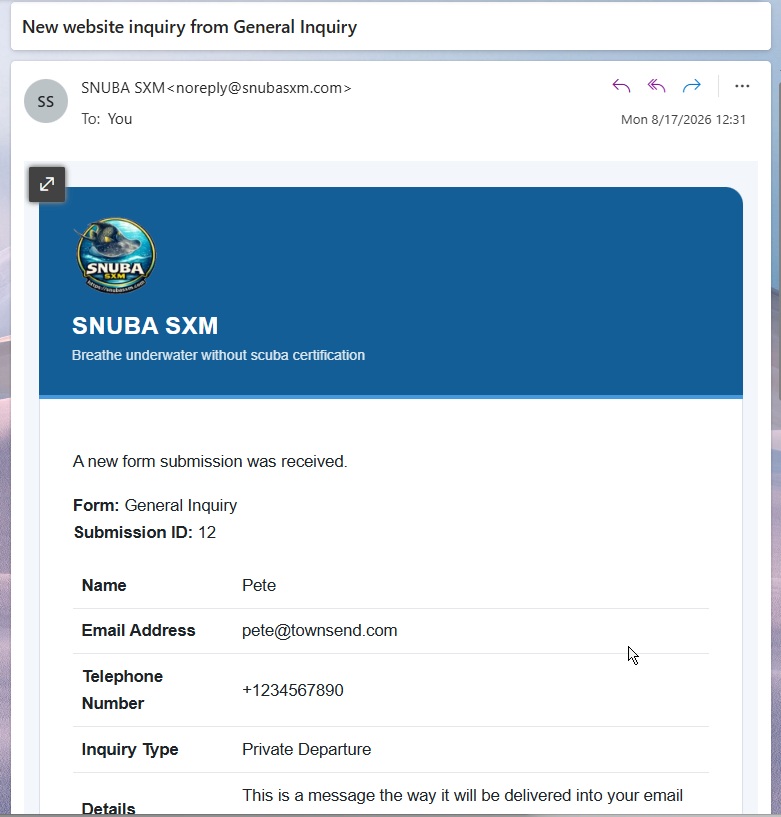
- Administrator notifications and optional visitor confirmation emails.
- Secure single-file uploads with protected administrator downloads.
- Layered spam and request-integrity protection, even without CAPTCHA.
- Optional Cloudflare Turnstile and Google reCAPTCHA support.
- Accessible labels, grouped controls, error summaries, focus handling, and keyboard builder controls.
- Hardened CSV export plus WordPress privacy export and erasure support.
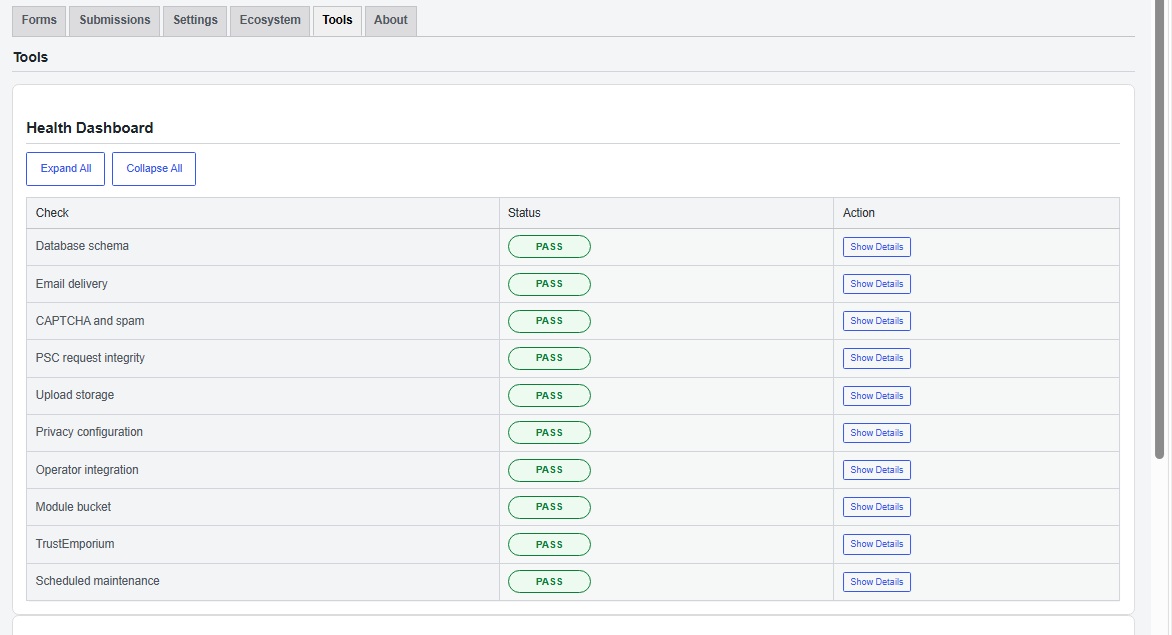
- Health Dashboard with clear status, explanations, and recommended actions.
- Optional TrustEmporium advisory enrichment configured from inside Contact Forms.
- Optional UltimaTour Operator integration with shared business services and no duplicate setup.
A Useful Path Into UltimaTour
Contact Forms remains fully useful on its own. When your needs grow, the plugin also provides three relevant, administrator-only ways to explore the wider UltimaTour ecosystem:
- UltimaTour Operator reduces repeated setup by sharing business identity, branding, mail, CAPTCHA, audit, and connected services across compatible UltimaTour modules.
- TrustEmporium provides optional advisory context for submitted contact details after the administrator deliberately connects the service.
- UltimaTour Reviews and Partner provide operator discovery, product documentation, downloads, and support resources.
These links appear only inside the plugin administration interface. Contact Forms does not add advertising, backlinks, tracking, or UltimaTour branding to public forms, confirmation messages, or visitor emails.
Why Site Owners Choose Contact Forms
No form or submission limits
Create the forms your website needs and accept legitimate responses without metering, monthly submission allowances, or artificial upgrade walls.
No public advertising
Your website belongs to you. Public forms, confirmations, emails, and site footers are not used to advertise UltimaTour or insert automatic backlinks.
No hosted-form dependency
Core form building, rendering, validation, storage, uploads, and email notifications run through WordPress. Optional connected services are clearly disclosed and are not required for the core workflow.
Clear diagnostics
The Health Dashboard explains what happened, why it matters, and what to do next. Routine setup should not require reading logs, decoding error numbers, or contacting support.
Designed for long-term ownership
Forms, submissions, and settings remain under the website owner’s control. Contact Forms supports export, privacy erasure, retention controls, and clean standalone operation.
Email Template Variables
Contact Forms renders test emails, administrator notifications, and visitor confirmations through one merge-variable engine in standalone and Operator-integrated modes. Variables use the {variable} syntax.
Supported variables: {business_name}, {email}, {phone}, {home_url}, {website}, {logo_url}, {tagline}, {address}, {signature}, {footer}, {form_name}, {submission_id}, {submission_date}, {visitor_name}, {visitor_email}, {site_name}, and {current_year}.
Unknown variables are replaced with a blank value and logged safely for administrators. Visitor-submitted values are escaped by context and are not reparsed as template syntax.
External Services
CAPTCHA
CAPTCHA is an optional external challenge layer. In standalone mode, an administrator may configure Cloudflare Turnstile or Google reCAPTCHA with both site and secret keys, and may choose to require CAPTCHA before submissions are accepted. Pages containing configured CAPTCHA forms load the selected provider challenge script and submit the provider response token for server-side verification. Provider terms and privacy policies apply:
- Cloudflare Turnstile setup: https://developers.cloudflare.com/turnstile/get-started/
- Cloudflare Turnstile privacy: https://www.cloudflare.com/privacypolicy/
- Cloudflare terms: https://www.cloudflare.com/website-terms/
- Google reCAPTCHA version guide: https://developers.google.com/recaptcha/docs/versions
- Google privacy: https://policies.google.com/privacy
- Google terms: https://policies.google.com/terms
TrustEmporium
TrustEmporium enrichment is advisory. Contact Forms uses Operator-owned TrustEmporium services when UltimaTour Operator exposes a supported service. In standalone mode, an administrator can use Connect and Provision TrustEmporium inside Contact Forms to create or recover the site-specific TE partner contract and business account. Manual partner key and shared-secret entry remains available only as an advanced recovery path.
Standalone setup calls /te/v1/partner/contact-forms/self-issue-contract. TrustEmporium CORE verifies setup by requesting /wp-json/ultimatour-contact-forms/v1/trustemporium/onboarding-verification/{token} from the installing site before issuing credentials or provisioning the business account. Setup may transmit site URL, home URL, canonical domain, installation ID, plugin version, business name, primary contact email, locale, timezone, generated external business ID, verification URL, and verification token hash. The standalone connection test uses /te/v1/partner/ping only to confirm authentication and does not create or refresh TrustEmporium records.
Submission enrichment is lookup-only and uses /te/v1/partner/lookup; Contact Forms submissions must never call /te/v1/partner/event, /te/v1/partner/provision-business, self-issue TE contracts, create TE event/customer lifecycle records, write advisory records, create TE lookup-audit records, mint public TE lookup tokens, or consume TE allowance usage. A TrustEmporium submission-enrichment request may include the form ID, form name, submission ID, submitted contact name, submitted email address, submitted phone number, source URL, site identifier, request ID, correlation ID, idempotency key, and timing metadata. It does not include CAPTCHA secrets, TrustEmporium access keys, passwords, raw PSC values, PSC source words, uploaded file contents, full submission payloads, or private plugin credentials. Remote TE enrichment is blocked when Contact Forms health, integrity, compatibility, or local PSC state requires review. UltimaTour connected-service terms and privacy apply: https://partner.ultimatour.com/privacy-terms/
UltimaTour Mothership heartbeat
Operator-connected installs add a Contact Forms integrity block to the existing Operator heartbeat when Operator is communication-capable and do not run a parallel standalone heartbeat. When Operator is absent or not communication-capable, Contact Forms may use the approved standalone control-plane route for Contact Forms heartbeat duties. The Contact Forms heartbeat block reports module slug, module version, compatibility state, integration mode, reporting reason, health status, non-secret protected-file hashes, PSC package fingerprint/generation/status when PSC is enabled, TrustEmporium enabled/configured status, and a timestamp. It does not include form submission values, CAPTCHA tokens, secrets, passwords, raw PSC values, or PSC package source words. UltimaTour connected-service terms and privacy apply: https://partner.ultimatour.com/privacy-terms/
Polymorphic Semantic Canary
Polymorphic Semantic Canary (PSC) is an optional concealed request-integrity layer independently conceived by Michel Peter Johannes Wouterse, TE Systems LLC. PSC renders three signed hidden integrity fields from an active package and detects malformed, expired, duplicated, replayed, copied, swapped, or rewritten form-integrity values. Every installation always keeps three persistent 32-word local PSC artifacts outside the plugin folder, so forms and local protection continue during remote failure. Administrators own and may edit local artifacts when the site owns the local package. Operator-connected installs may receive signed installation-bound PSC data through the existing Operator heartbeat; Contact Forms verifies Ed25519 signature, key ID, fingerprint, installation UUID, version, issue/expiry state, exact 3×32 shape, replay state, and route before atomic activation. Standalone installs use the included local PSC artifacts. PSC packages contain data only: no remote PHP or JavaScript is downloaded, and no visitor submission is transmitted to obtain them. An invalid package never replaces the active package.
Stored submissions display a safe Security Signals audit panel. Operator-mode reCAPTCHA v3 scores come from Operator-owned CAPTCHA verification for the Contact Forms action. PSC risk scores come from Contact Forms request-integrity verification. These scores are separate and do not interfere with one another.
Tangkapan Layar
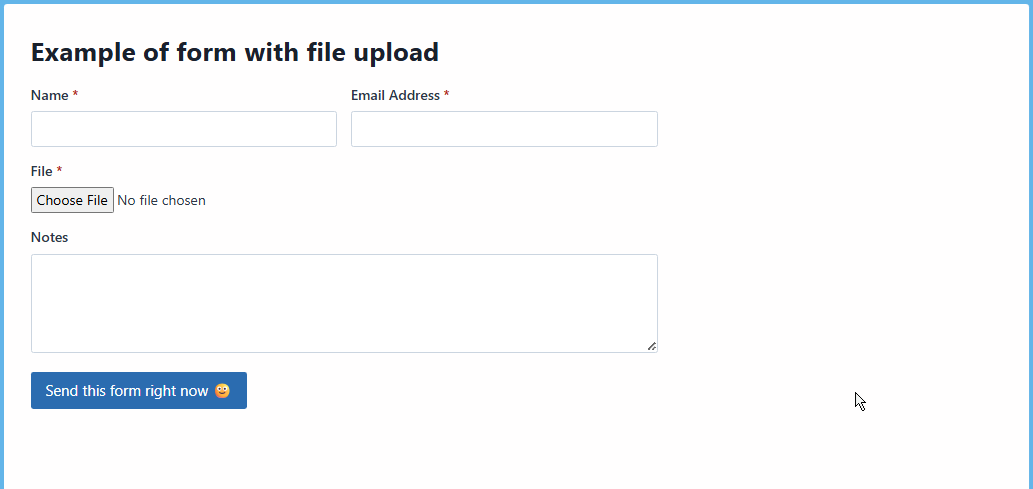
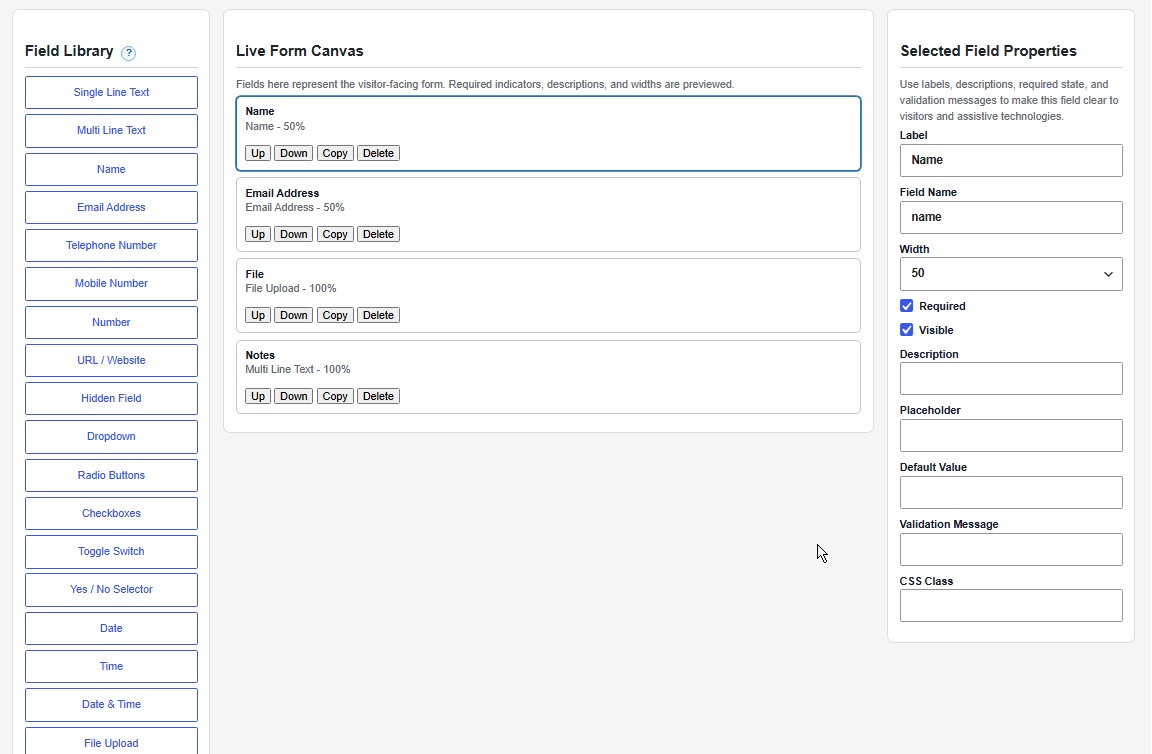
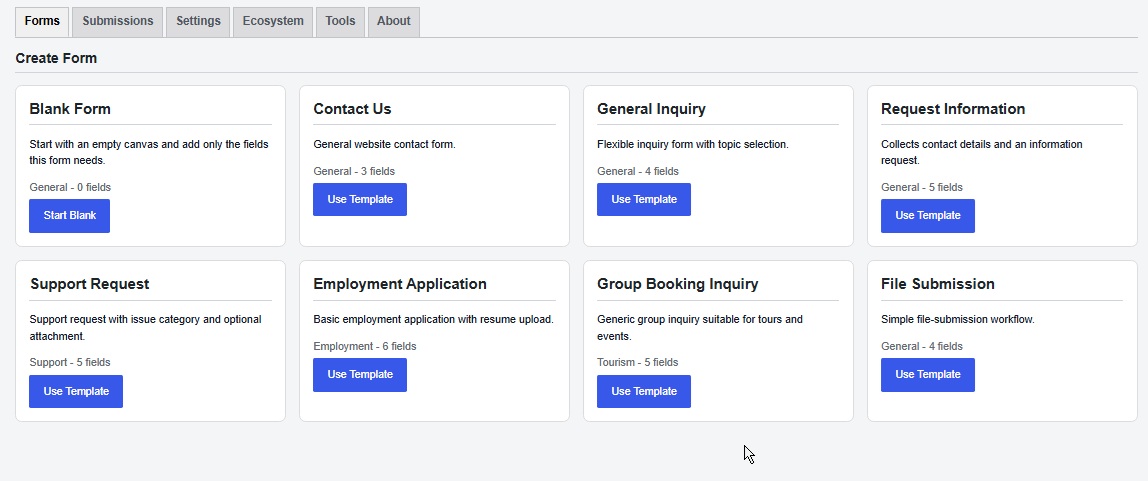
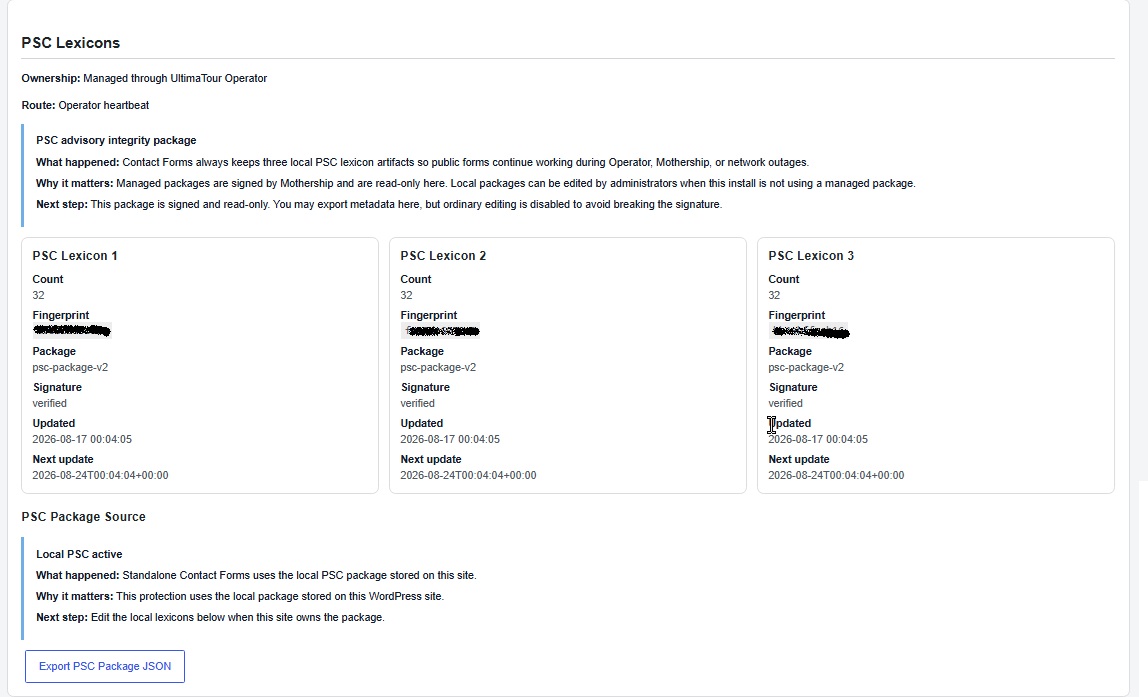
Instalasi
- Install and activate UltimaTour Contact Forms from the WordPress Plugins screen.
- Open Contact Forms in the WordPress admin menu. A fresh standalone installation automatically creates an active Partner Contact form so the core workflow can be tested without an account, license, API key, CAPTCHA key, or UltimaTour Operator.
- Open the Forms tab. Edit Partner Contact, or select Create New Form and choose Start Blank or Use Template.
- Add or select fields in the builder, adjust their properties, and choose Publish. Only forms with Active status accept public submissions.
- In the Publish panel, select Copy Shortcode and paste the shortcode into a page or post. Alternatively, use Create Contact Page below the builder; it creates a draft page by default unless Publish immediately is selected.
- Visit the page while logged out, complete the form, and submit it. The success message confirms acceptance. Stored entries appear under Contact Forms > Submissions.
- Open Contact Forms > Settings to set the notification recipient and sender identity. Use Send Test Email to verify that WordPress accepts the message, then confirm delivery in the destination inbox.
- CAPTCHA is optional. The built-in PSC, honeypot, signed timing, rate limiting, duplicate detection, and server-side validation work without CAPTCHA keys. To test CAPTCHA in standalone mode, configure Cloudflare Turnstile or Google reCAPTCHA under Settings > Spam Protection and enable Require CAPTCHA before accepting submissions.
Optional CAPTCHA setup
Contact Forms includes collapsed setup walkthroughs directly under Settings > Spam Protection so administrators do not have to discover the process themselves.
For Cloudflare Turnstile, create a widget in the Cloudflare Turnstile dashboard, add every hostname where the form will appear, use Managed mode unless another mode is intentionally required, and copy the resulting site and secret keys into Contact Forms.
For Google reCAPTCHA, register the site in the Google reCAPTCHA administration console, choose either the v2 Checkbox or v3 key type, add every form domain, and select the same provider type in Contact Forms. A v2 key cannot be used with the v3 setting, or the reverse. For v3, the initial recommended Contact Forms threshold is 0.7.
After saving, test a published form while logged out. A missing-token failure usually means the selected provider does not match the key type, the current hostname is not registered with the provider, or a cache/security tool prevented the provider script from loading. 9. TrustEmporium and UltimaTour Operator are optional integrations. They are not required to create, publish, submit, store, or email a form. Their status and setup guidance appear in the Ecosystem tab.
For a quick functional review on a clean WordPress site, steps 1 through 6 are sufficient. No external account or remote-service connection is required.
Tanya Jawab
-
How do I test the plugin on a clean installation?
-
Activate the plugin, open Contact Forms, edit the automatically created Partner Contact form, and copy its shortcode into a page. Visit that page while logged out and submit it. The submission appears under Contact Forms > Submissions. No Operator installation, external account, license, TrustEmporium connection, or CAPTCHA key is required for this test.
-
Where do I configure notification email?
-
Open Contact Forms > Settings. Set the notification recipient and sender identity, save the settings, then use Send Test Email. WordPress accepting a message does not guarantee inbox delivery, so also confirm that it reaches the destination mailbox.
-
Is Operator required?
-
No. Contact Forms is usable in standalone mode.
-
Does Contact Forms inherit Operator mail delivery?
-
Yes, when the minimal Operator shared-mail contract is available. The initial contract preserves WordPress mail behavior while centralizing Operator sender identity and giving future modules a stable integration point.
-
Does TrustEmporium block submissions?
-
No. TrustEmporium is advisory enrichment. Normal validation and security controls remain authoritative.
-
Does PSC replace CAPTCHA?
-
No. PSC is a concealed integrity layer. CAPTCHA is an optional external challenge layer that can be enabled and enforced when the site intentionally uses a provider.
-
Is standalone TrustEmporium enrichment available?
-
Yes. A standalone administrator can use Connect and Provision TrustEmporium in Contact Forms settings to create or recover the TE business account and lookup contract. After setup, visitor submissions use lookup-only advisory enrichment and do not create TE records.
-
Are credentials shown in diagnostics?
-
No. CAPTCHA secrets, TrustEmporium access keys, passwords, tokens, and private payloads are excluded.
-
Will Contact Forms add advertising or links to my public website?
-
No. Ecosystem resources are confined to the plugin’s administrator interface. Contact Forms does not inject advertisements, UltimaTour branding, promotional links, or automatic backlinks into public forms, confirmation messages, visitor emails, or site footers.
-
Do I have to create an UltimaTour account?
-
No. The complete core form workflow works without an account. An administrator chooses whether to connect optional ecosystem services.
-
Where can I learn more about the UltimaTour ecosystem?
-
Visit UltimaTour Reviews at https://www.ultimatour.com/ to discover verified operators and experiences. Visit UltimaTour Partner at https://partner.ultimatour.com/ for product documentation, downloads, and support. These resources are optional and do not control the core Contact Forms workflow.
Ulasan


Kontributor & Pengembang
“UltimaTour Contact Forms” adalah perangkat lunak open source. Berikut ini mereka yang sudah berkontribusi pada plugin ini.
Kontributor
Terjemahkan “UltimaTour Contact Forms” dalam bahasa Anda.
Tertarik mengembangkan?
Lihat kode, periksa repositori SVN , atau mendaftar ke log pengembangan melalui RSS.
Log Perubahan
1.0.16
- Expanded verified WordPress compatibility to WordPress 6.2 and newer.
- Lowered the verified PHP requirement to PHP 8.1 and newer.
- Added a permanently dismissible, local review request after three successful administrator-notification deliveries.
- Added collapsed setup walkthroughs for standalone Cloudflare Turnstile and Google reCAPTCHA v2/v3 configuration.
- Fixed the Ecosystem PSC card so healthy Operator-managed packages display Active instead of Needs attention.
- Reworked the WordPress.org listing around standalone value, five-minute setup, submission ownership, layered security, and optional ecosystem connections.
- Added the standard plugin-site header and administrator-only links for Settings, documentation, and compatible functionality expansion.
- Kept ecosystem links out of public forms, visitor emails, confirmation messages, and public site output.
1.0.15
- Added complete clean-install setup, publishing, shortcode, submission, email-test, and optional-CAPTCHA instructions for administrators and WordPress.org reviewers.
- Clarified that the core form workflow requires no Operator installation, external account, license, TrustEmporium connection, or CAPTCHA key.
1.0.14
- Fixed Operator-integrated Google reCAPTCHA v3 submissions by preserving Operator-owned v3 widget data attributes through the Contact Forms shortcode CAPTCHA allow-list.
- Kept CAPTCHA ownership unchanged: Operator still renders and verifies the challenge in integrated mode, while Contact Forms only sanitizes and displays the Operator widget.
- Revalidated the package after the live SNUBA form exposed a runtime missing-token failure that static Plugin Check does not detect.
1.0.13
- Added an administrator-facing Ecosystem Connection tab for transparent optional-service status and disclosure.
- Surfaced the Contact Forms remote-service health gate so administrators can see when integrity, compatibility, heartbeat, or PSC health blocks optional TrustEmporium and managed PSC services.
- Added standalone and Operator-aware connection guidance without adding public-site links, visitor-facing advertising, hidden telemetry, or automatic service enrollment.
1.0.12
- Bumped the public package version for the WordPress.org reviewer-resubmission ZIP.
- Preserved the 1.0.11 reviewer fixes: standalone PSC remote-refresh controls remain removed, standalone PSC remains local, and Operator CAPTCHA widget markup remains sanitized through the shortcode allow-list.
- Revalidated the package and SNUBA Operator-integrated install with Plugin Check, PHP lint, PHPCS, REST permission-boundary, PSC generator, and TrustEmporium boundary checks.
1.0.11
- Added Mothership PSC signing-key trust bootstrap and verified managed-package key rotation.
- Hardened WordPress.org reviewer clarity for Contact Forms asset enqueueing, public REST permission boundaries, module distribution metadata, external-service wording, and translation readiness.
- Replaced the public TrustEmporium onboarding verification route’s unconditional permission callback with a named request-shape callback and consumed successful verification tokens to reject replay attempts.
- Removed standalone PSC remote-refresh controls from the WordPress.org package; standalone PSC remains local.
- Sanitized Operator CAPTCHA widget markup through a shortcode-specific allow-list before public rendering.
- Regenerated the translation template for the
ultimatour-contact-formstext domain.
1.0.10
- Completed weekly managed 3×32 PSC data delivery, replay/downgrade rejection, authoritative acknowledgements, and updated remote-data disclosures.
- Fixed existing-form builder loading and form duplication by correcting internal field serialization callback references.
1.0.9
- Hardened Operator module-bucket registration so the free Contact Forms module metadata is appended after other bucket contributors and cannot be accidentally duplicated or replaced before the existing Operator heartbeat is sent.
1.0.8
- Restored standalone TrustEmporium one-click setup from inside Contact Forms while preserving lookup-only submission enrichment.
- Kept Contact Forms submissions blocked from TE event, lifecycle, advisory-write, and public business-provisioning endpoints.
- Kept manual TrustEmporium partner key and shared-secret entry in an advanced recovery path.
- Hardened settings saves so hidden secure defaults are preserved and stored submissions follow the visible per-form archive setting.
- Preserved standalone PSC through local lexicon ownership instead of exposing refresh controls in the WordPress.org package.
- Fixed signed PSC package activation by preserving signed refresh metadata during Contact Forms package normalization before fingerprint and Ed25519 signature verification.
- Reworded PSC disclosure to clarify that standalone PSC is local and fully available.
- Removed inline event handlers from Contact Forms admin and preview markup; confirmations and preview submit suppression now run through enqueued assets.
- Fixed standard Contact Us form deletion so an administrator-deleted auto-provisioned/template-backed form is not recreated on the next page load.
- Applied a release cleanup pass for WordPress Coding Standards formatting/alignment and explicit fallback expressions without intentional functionality changes.
- Expanded WordPress.org external-service disclosure for TrustEmporium connection triggers, endpoint URLs, data sent, data excluded, and credential storage.
1.0.7
- Added an earlier standalone TrustEmporium signed Partner-contract implementation. Superseded in 1.0.8 by lookup-only standalone behavior.
- Added a Contact Forms remote-service health gate so TE enrichment and Operator-routed PSC package activation do not run when Contact Forms health requires review.
- Preserved local PSC for every installation.
- Updated administrator settings and documentation to distinguish local PSC, Operator-owned TE, and Contact Forms-owned standalone TE.
1.0.6
- Rebuilt PSC package handling around three persistent 32-word lexicons per installation.
- Added editable local PSC lexicon management for locally owned installs.
- Added Ed25519 verification for managed Mothership PSC packages.
- Added Mothership PSC master-word and package-issuance infrastructure.
- Updated PSC routing so Operator-capable installs use Operator and standalone installs use the approved Contact Forms route without parallel traffic.
1.0.5
- Added Contact Forms module integrity and service-status reporting to the existing Operator heartbeat.
- Added Contact Forms integrity reporting to configured standalone Mothership heartbeat requests.
- Preserved separate PSC package exchange under the existing
contact_forms_pscheartbeat key. - Expanded external-service disclosure for heartbeat, PSC, CAPTCHA, and TrustEmporium behavior.
- Fixed an escaped output issue in the admin Health Dashboard detail rows.
1.0.4
- Treat Google reCAPTCHA v3 browser-error responses as degraded provider availability when local PSC, honeypot, nonce, rate-limit, duplicate, and validation checks pass.
- Record safe CAPTCHA provider failure details in the Contact Forms activity log.
- Refresh reCAPTCHA v3 tokens for each submit cycle and avoid stale token reuse after delayed attempts.
1.0.3
- Loaded configured CAPTCHA provider scripts before the Contact Forms submit handler for more reliable reCAPTCHA v3 token generation.
1.0.2
- Fixed reCAPTCHA v3 form resubmission so the generated verification token is sent through the browser’s normal submit flow.
1.0.0
Initial release.