

Deskripsi
PixoNex Clean Popup lets you show a beautiful, animated popup on specific WordPress pages — no coding required.
Tangkapan Layar

Popup Preview 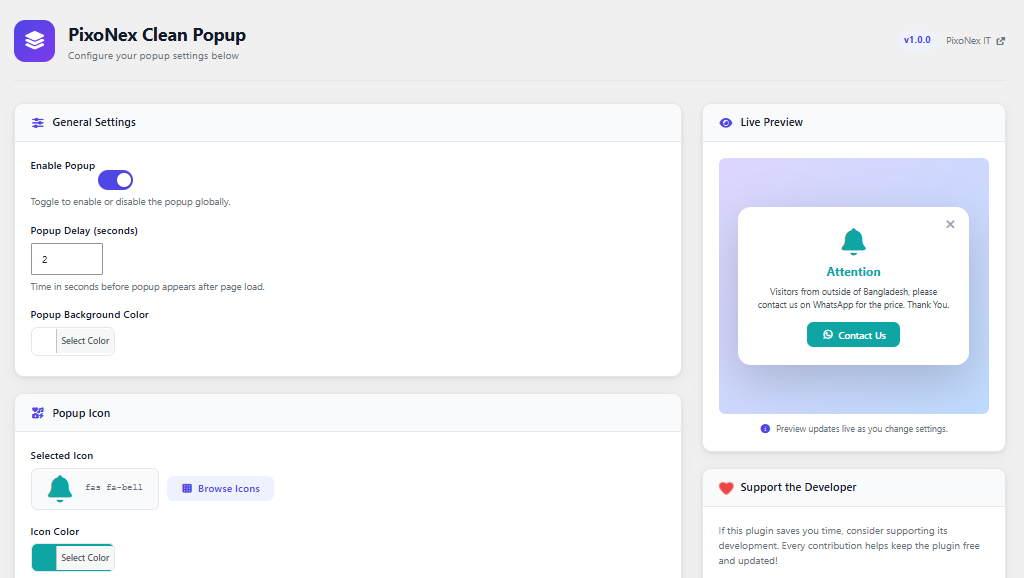
Popup Settings panel 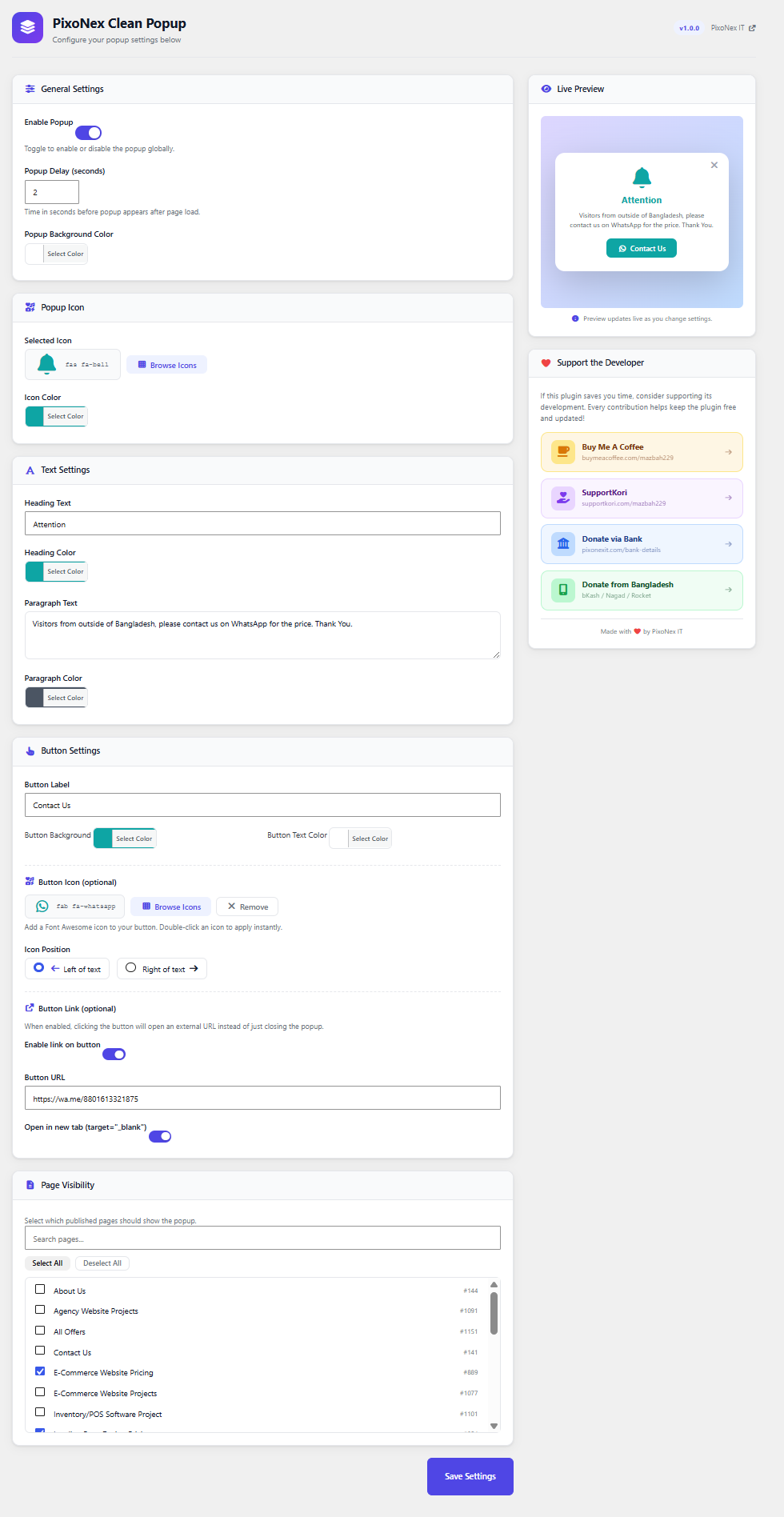
Full settings options
Instalasi
- Upload the
pixonex-clean-popupfolder to the/wp-content/plugins/directory, or install via the WordPress Plugins screen. - Activate the plugin through the Plugins screen in WordPress.
- Go to Clean Popup from dashboard menu to configure your popup.
Tanya Jawab
-
Will the popup show on every page?
-
No. You must select specific pages under Clean Popup Page Visibility. The popup will only appear on those pages.
-
Can I change the icon?
-
Yes. Click Browse Icons in the admin settings to open the Font Awesome icon picker and choose any icon you like.
-
Can I change colors?
-
Yes. You can independently change the icon color, heading color, paragraph color, button background color, and button text color using the built-in color pickers.
-
Does the popup reappear every visit?
-
Yes. The popup shows on every page load (after the configured delay). If you want to suppress it for returning visitors, you can extend the plugin with a session cookie approach.
-
Is Font Awesome loaded on every page?
-
No. Font Awesome and all other plugin assets are only enqueued on the pages you select.
Ulasan
Belum ada ulasan untuk plugin ini.
Kontributor & Pengembang
“PixoNex Clean Popup” adalah perangkat lunak open source. Berikut ini mereka yang sudah berkontribusi pada plugin ini.
Kontributor

Terjemahkan “PixoNex Clean Popup” dalam bahasa Anda.
Tertarik mengembangkan?
Lihat kode, periksa repositori SVN , atau mendaftar ke log pengembangan melalui RSS.
Log Perubahan
1.0.0
- Initial release.
2.0.0
Fixed some issues related to font awesome icon.