

Deskripsi
Brand Assets helps you publish a clean, usable brand assets page in WordPress. Instead of sending people to scattered folders or outdated PDFs, you can present approved colors, downloadable logos, and brand guidance directly on your site.
Whether you need a public media kit, a client handoff page, or an internal brand guidelines page, Brand Assets gives you block-based tools to build it in Gutenberg.
What you can build
- A brand assets page with your logos, color palette, and typography guidance.
- A media kit page for journalists, partners, and affiliates.
- A client-facing brand page with downloadable files and usage guidance.
- A simple internal design reference for your team.
Key features
- Add a dedicated brand color palette block to any page or post.
- Show color swatches with adjustable width, height, spacing, borders, and optional CMYK values.
- Use the included brand page pattern to launch a complete brand guidelines page faster.
- Add downloadable brand files by applying the
ba-downloadclass to list items in the editor. - Show a configurable popover on your site logo that links visitors to the right brand assets page.
- Manage plugin settings from Settings Brand Assets or the plugin row settings link.
Why site owners use Brand Assets
- Keep logos, colors, and downloadable files in one clear place.
- Make it easier for clients, press contacts, and partners to find approved assets.
- Build a more professional brand guidelines page without custom development.
- Keep your WordPress site and your brand presentation aligned.
Quick start
- Install and activate Brand Assets.
- Create a page for your brand assets or media kit.
- Insert the Brand Assets pattern or add the Color Palette – Brand Assets block.
- Add your approved colors, logo files, and supporting content.
- Go to Settings Brand Assets and connect your logo popover to the page.
Support
- Source code: https://github.com/ProgressPlanner/brand-assets
- Documentation: https://progressplanner.com/plugins/brand-assets/
- Issues: https://github.com/ProgressPlanner/brand-assets/issues
Tangkapan Layar
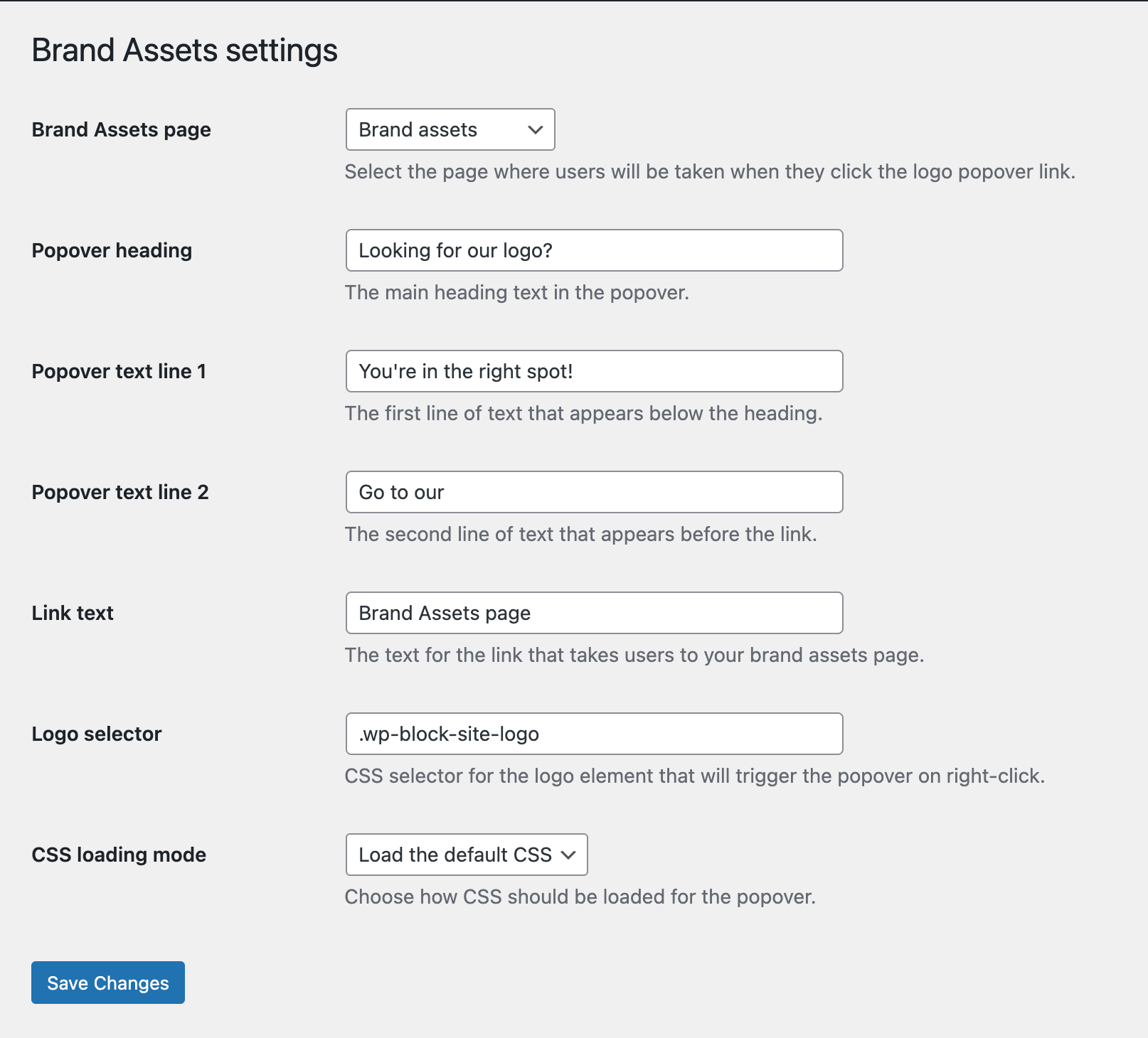
Brand Assets settings screen for choosing the brand assets page, logo selector, and popover text. 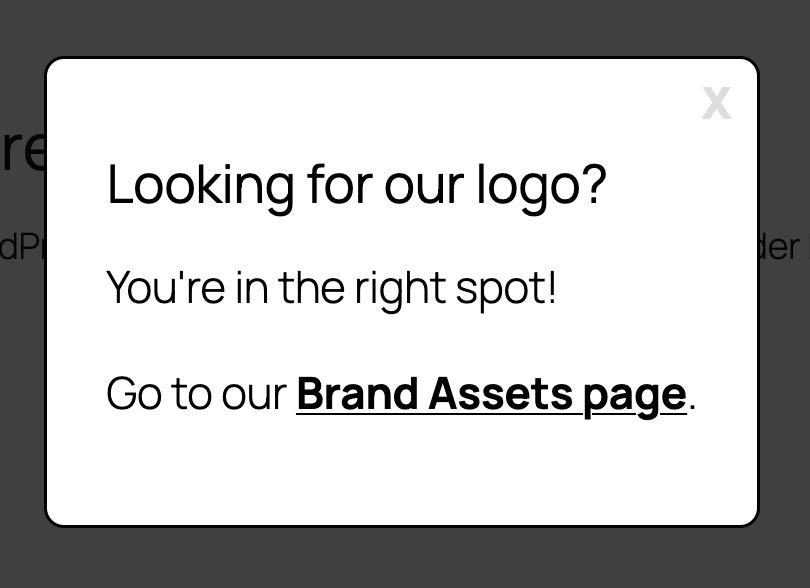
Logo popover that sends visitors from your site logo to the correct Brand Assets page.
Blok
Plugin ini menyediakan 1 blok.
- Color Palette – Brand Assets A block that displays your brand color palette with customizable swatches and styling options.
Instalasi
- Upload the plugin files to the
/wp-content/plugins/brand-assets/directory, or install Brand Assets through the WordPress plugins screen. - Activate the plugin through the Plugins screen in WordPress.
- Create or open the page where you want to publish your brand assets.
- Insert the Color Palette – Brand Assets block or the included Brand Assets pattern.
- Add your colors, files, and brand guidance content.
- Optional: go to Settings Brand Assets to configure the logo popover and choose the target page.
For manual installs, you can also upload the plugin folder over FTP before activating it in WordPress.
Tanya Jawab
-
How do I create a brand assets page in WordPress?
-
Install Brand Assets, create a page, and insert either the included pattern or the Color Palette – Brand Assets block. From there, add your logos, colors, downloads, and brand guidance content.
-
How do I add a color palette to my brand guidelines page?
-
Add the Color Palette – Brand Assets block in the editor, then enter your brand colors as hex values. You can adjust swatch size, spacing, borders, and optionally show CMYK values.
-
Can I add downloadable logo files or PDFs?
-
Yes. Add a list in the block editor, place your download links inside it, and add the
ba-downloadclass to the relevant list items. The plugin will automatically add thedownloadattribute to links inside those items. -
What does the logo popover do?
-
The logo popover lets visitors right-click your site logo and jump straight to your brand assets page. You can customize the heading, supporting text, link label, target page, and logo selector in the plugin settings.
-
Does Brand Assets work with any WordPress theme?
-
Yes. The block and settings are designed to work with standard WordPress themes, and the popover styling is self-contained.
-
Can I customize the popover styling?
-
Yes. The settings screen includes controls for colors, spacing, borders, max width, and font size. Developers can also filter the frontend CSS path if they want to load their own stylesheet.
-
Is there a ready-made layout for a media kit or brand guidelines page?
-
Yes. Brand Assets includes a pre-built block pattern with logo sections, downloadable asset links, a brand color palette area, and typography examples so you can start faster.
Ulasan
Belum ada ulasan untuk plugin ini.
Kontributor & Pengembang
“Brand Assets” adalah perangkat lunak open source. Berikut ini mereka yang sudah berkontribusi pada plugin ini.
Kontributor


Terjemahkan “Brand Assets” dalam bahasa Anda.
Tertarik mengembangkan?
Lihat kode, periksa repositori SVN , atau mendaftar ke log pengembangan melalui RSS.
Log Perubahan
1.0.0
- First stable release on FAIR.
0.1.0
- Initial release.
- Added the Brand Assets block for displaying color palettes.
- Added customizable swatch styling and optional CMYK values.
- Added responsive frontend output.