Deskripsi
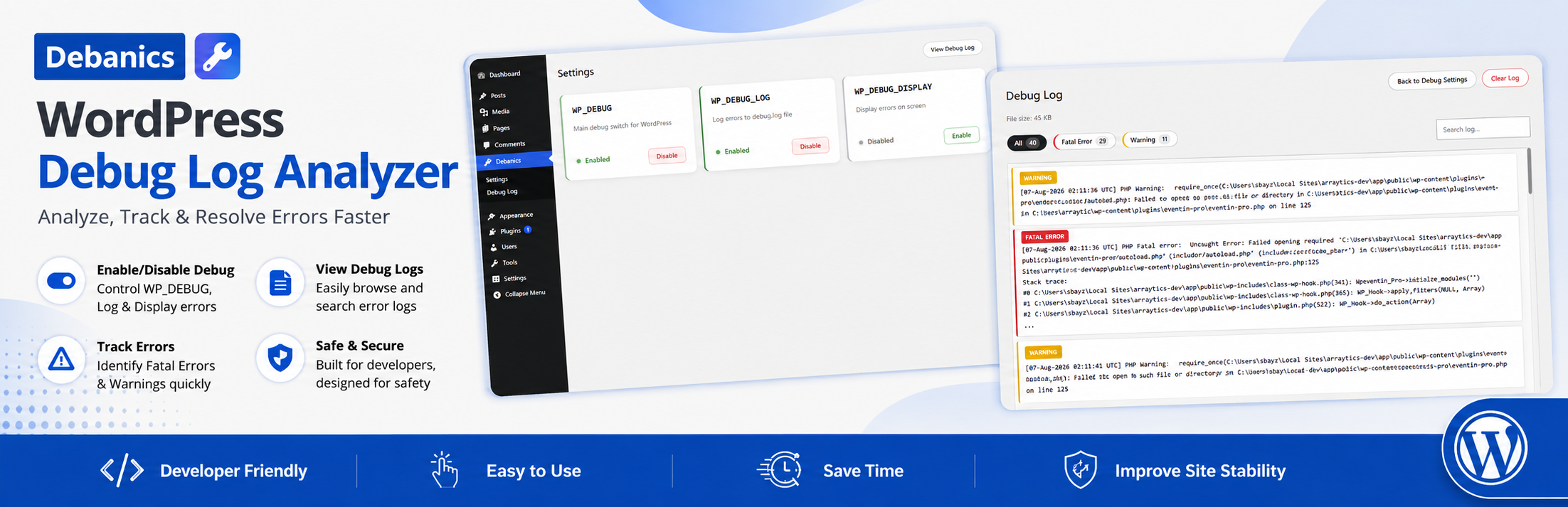
Debanics lets you easily enable or disable WordPress debug settings (WP_DEBUG, WP_DEBUG_LOG, WP_DEBUG_DISPLAY) from the admin dashboard. No need to manually edit wp-config.php!
Features
- Toggle debug settings with one click
- View debug log directly in admin
- Secure: Only admins can use
- No coding required
- Works with any theme or plugin
Why Use Debanics?
- Easy to Use: Toggle debug settings with a single click
- Safe: No need to manually edit wp-config.php
- Secure: Only administrators can access
- Compatible: Works with all WordPress themes and plugins
- Developer Friendly: Useful for development and troubleshooting
Tangkapan Layar


Instalasi
- Upload the plugin files to the
/wp-content/plugins/debanicsdirectory, or install the plugin through the WordPress plugins screen directly. - Activate the plugin through the ‘Plugins’ screen in WordPress.
- Go to ‘Debanics’ in the admin menu to use.
Tanya Jawab
-
Does this plugin work on all hosts?
-
It works on most hosts, but your
wp-config.phpfile must be writable by PHP for toggling to work. -
Is it safe to use on production?
-
We recommend only enabling debug mode on staging or development sites. Debug mode can expose sensitive information and impact performance.
-
What permissions do I need?
-
The plugin requires write access to wp-config.php. Your web server user must have write permissions for the file.
Ulasan


Kontributor & Pengembang
“Debanics – Debug Log Analyzer” adalah perangkat lunak open source. Berikut ini mereka yang sudah berkontribusi pada plugin ini.
Kontributor
Terjemahkan “Debanics – Debug Log Analyzer” dalam bahasa Anda.
Tertarik mengembangkan?
Lihat kode, periksa repositori SVN , atau mendaftar ke log pengembangan melalui RSS.
Log Perubahan
1.1.1
- Fixed other plugins’ and WordPress admin notices breaking into the Settings and Debug Log page header.
- Fixed the style of buttons, filter pills, and the log search field.
- Improved the Settings and Debug Log page header to stay pinned to the top of the screen while scrolling, with a subtle shadow
1.1.0
- Redesigned the debug settings cards with a cleaner layout and a color-coded status indicator
- Added a quick “View Debug Log” link to the Settings page and moved the log page’s action buttons redesigned and repositioned
- Added filter-by-type and search to the debug log viewer, so entries can be narrowed down by error type or keyword
- Refreshed button styling across the admin pages for better visual consistency
- Minor copy and layout polish; improved mobile responsiveness
1.0.0
- Initial public release
- Added debug settings toggle
- Added debug log viewer
- Added security checks
- Added proper error handling