
Deskripsi
Highland Software Embed and Link Buttons for PDF Embedder enhances the functionality of the PDF Embedder plugin by giving editors control over how PDFs are inserted into content.
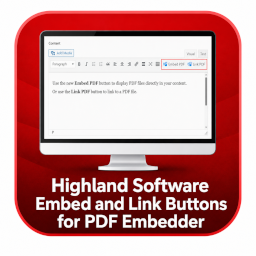
Instead of automatically embedding every PDF, this plugin adds simple TinyMCE buttons that allow users to choose:
- Embed the PDF using the PDF Embedder viewer
- Insert a direct link to the PDF file
This improves flexibility, usability, and content control—especially for editors working in custom themes or classic editor environments.
Features
- Adds TinyMCE buttons for:
- Embed PDF
- Link PDF
- Adds the dynamic Gutenberg “PDF Embed & Link” block
- Supports embed, link-only, and embed-and-link display modes
- Supports current-tab, new-tab, and download link actions
- Uses the native Media Library and validates PDF attachments server-side
- Allows direct editing of link text and preserves custom text when replacing a PDF
- Uses the native WordPress media modal
- Displays the PDF title or filename as link text
- Fully compatible with the Classic Editor
- No modifications required to the original PDF Embedder plugin
- Lightweight and developer-friendly
Requirements
- WordPress 5.8 or higher
- PHP 7.4 or higher
- PDF Embedder plugin installed and active for embedded viewer modes
Tangkapan Layar


Blok
Plugin ini menyediakan 1 blok.
- PDF Embed & Link Select a PDF and display it as an embed, link, or both.
Instalasi
- Upload the plugin files to the
/wp-content/plugins/highland-software-embed-and-link-buttons-for-pdf-embedder/directory - Activate the plugin through the ‘Plugins’ screen in WordPress
- Ensure the PDF Embedder plugin is installed and active if embedded viewer modes are needed
- Open the editor and use the Gutenberg block or the Classic Editor buttons
Tanya Jawab
-
Does this replace the PDF Embedder plugin?
-
No. This is an add-on that enhances the PDF Embedder plugin.
-
Does this work with Gutenberg?
-
Yes. Add the “PDF Embed & Link” block, select a PDF, and choose the display mode and link action in the block settings.
-
Does link-only mode require PDF Embedder?
-
No. PDF Embedder is only needed to render the embedded viewer. Link-only blocks and links inserted with the Classic Editor remain available without it.
-
Can I customize the link text?
-
The plugin automatically uses the PDF title or filename. You can modify this behavior in the code if needed.
Ulasan
Belum ada ulasan untuk plugin ini.
Kontributor & Pengembang
“Highland Software Embed and Link Buttons for PDF Embedder” adalah perangkat lunak open source. Berikut ini mereka yang sudah berkontribusi pada plugin ini.
Kontributor
Terjemahkan “Highland Software Embed and Link Buttons for PDF Embedder” dalam bahasa Anda.
Tertarik mengembangkan?
Lihat kode, periksa repositori SVN , atau mendaftar ke log pengembangan melalui RSS.
Log Perubahan
1.3.0
- Added the native dynamic Gutenberg PDF Embed & Link block.
- Added embed, link-only, and embed-and-link display modes.
- Added current-tab, new-tab, and download link actions.
- Added PDF Media Library selection, replacement, removal, and server-side MIME validation.
- Added editable link text with custom labels preserved during PDF replacement.
- Added global Gutenberg block defaults and a reset-to-defaults control.
- Made PDF Embedder optional for link-only output, with a graceful embedded-mode fallback.
- Added a standard WordPress Scripts build configuration for block assets.
1.2.0
- Added a new PDF Embedder Buttons settings page.
- Added configurable default PDF insertion behavior.
- Added configurable link target and link text options.
- Improved PDF filename cleanup and formatting.
- Added support for inserting PDF links as styled buttons.
- Added configurable Highland Software PDF button styling.
- Updated WordPress compatibility to 7.0.4.
- Updated plugin assets and versioning.
- Minor code improvements and cleanup.
1.1.0
- Added custom toolbar icons for PDF Embed and PDF Link TinyMCE buttons.
- Replaced text-based editor buttons with custom branded icon buttons.
- Added new Highland Software styled button assets with dark red background and gold icon styling.
- Improved editor toolbar visual consistency for PDF insertion actions.
- Added plugin asset localization to support dynamic icon loading.
- Updated JavaScript button registration to use custom PNG icon assets instead of text labels.
- Improved overall user experience when inserting PDF Embedder shortcodes or direct PDF links.
- General code cleanup and version update.
1.0.0
- Initial release
- Added TinyMCE buttons for embed and link modes
- Integrated with PDF Embedder via filter