Deskripsi
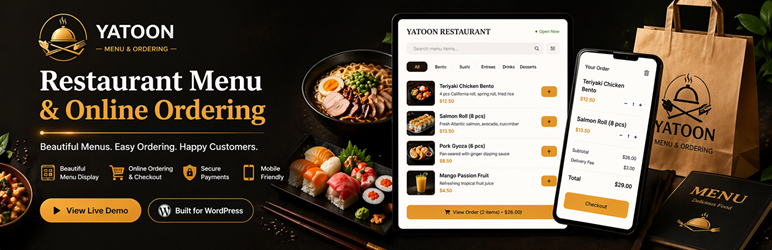
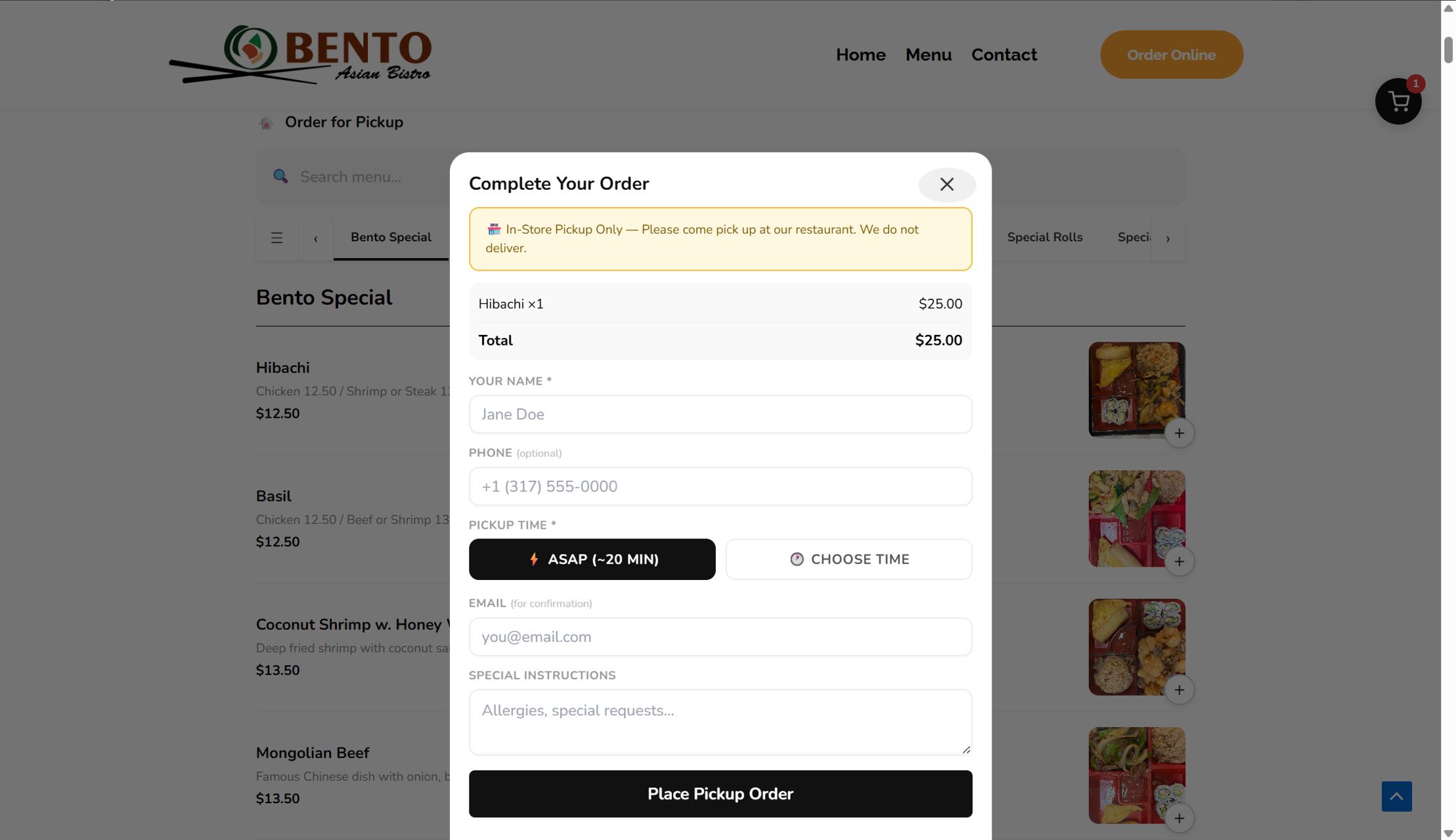
Yatoon Restaurant Menu & Online Ordering helps restaurants turn a WordPress website into a clean mobile ordering experience without marketplace commissions.
It is built for small restaurants that want to own the customer relationship: publish a photo menu, accept pickup orders, print kitchen tickets, send confirmations, and start direct online ordering without marketplace commissions.
Unlike generic form or ecommerce plugins, Yatoon is organized around the daily restaurant workflow: menu, order, kitchen, customer status, and launch readiness.
Try the live ordering demo at https://yatoon.com/menuorderingdemo/.
WordPress 7.0 AI-ready ordering
Yatoon 3.0 works with the WordPress 7.0 AI Client when an AI provider is connected in WordPress Settings > Connectors. Customers can describe cravings, budget, group size, spice preference, or dietary notes, and AI suggests clickable dishes from the restaurant’s real menu.
- AI Food Assistant – customers describe what they want and AI recommends matching dishes
- Clickable recommendations – suggested dishes open the normal item modal so modifiers, quantity, stock, and checkout rules stay intact
- No plugin-owned AI billing – AI provider/API keys are managed by WordPress Connectors; usage costs depend on the site owner’s chosen AI provider
- Provider fallback – Yatoon prefers OpenAI/GPT first, then Google/Gemini, then Anthropic/Claude
- Compatibility-first – WordPress 6.9 and older keep the regular ordering flow; AI generation requires WordPress 7.0 AI Client support
Highlights
- Setup Wizard with launch checklist and automatic page creation
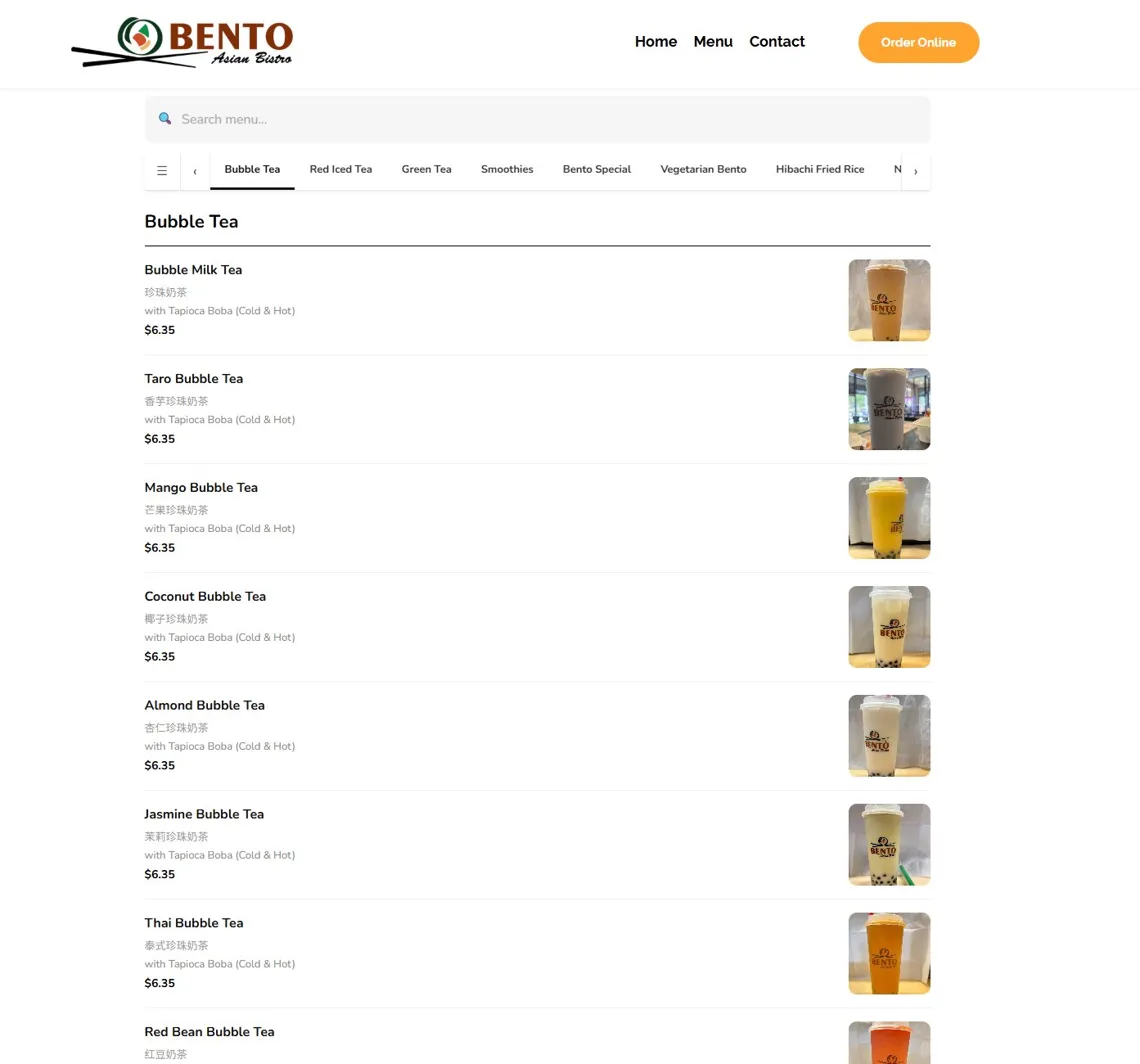
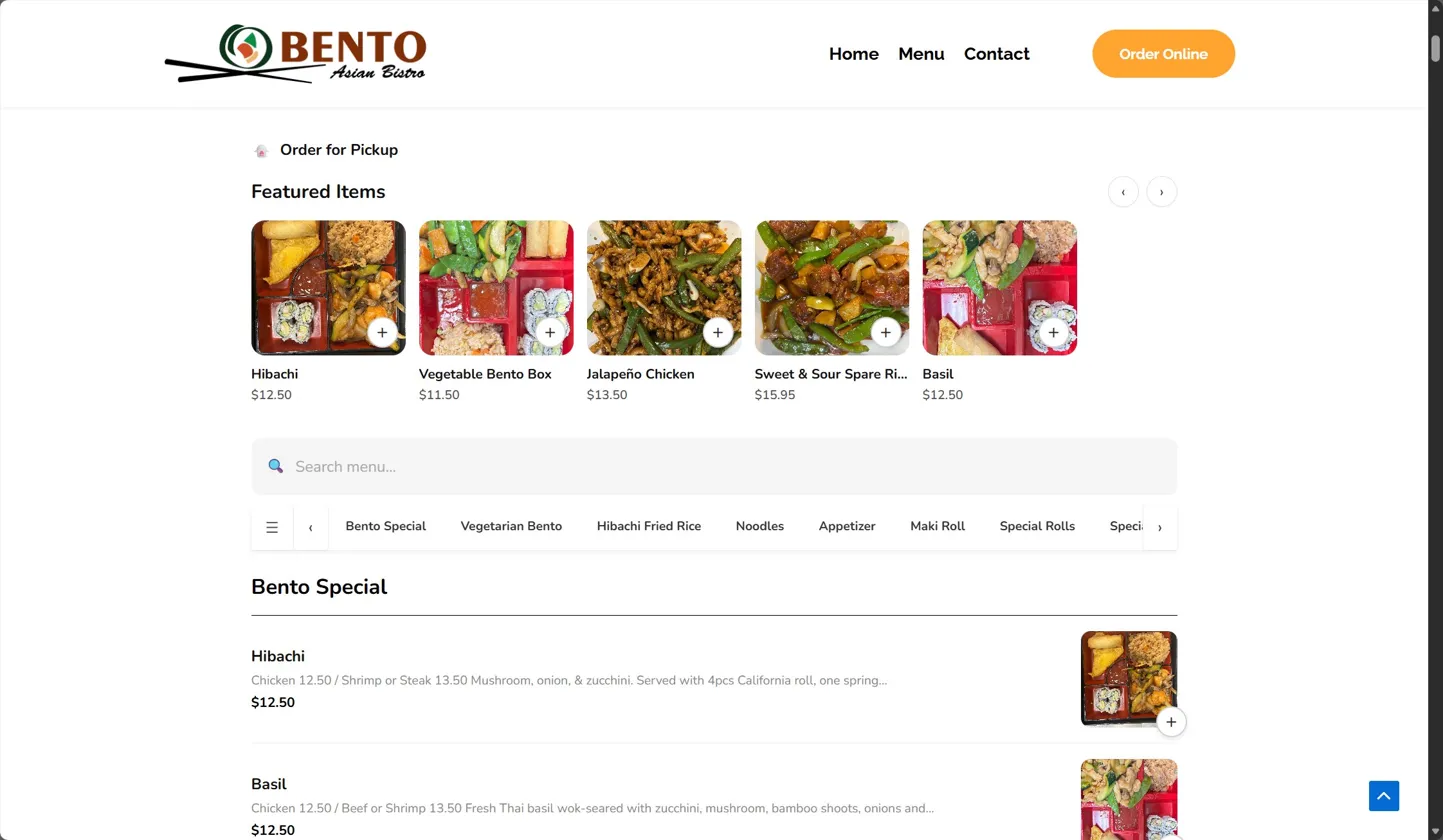
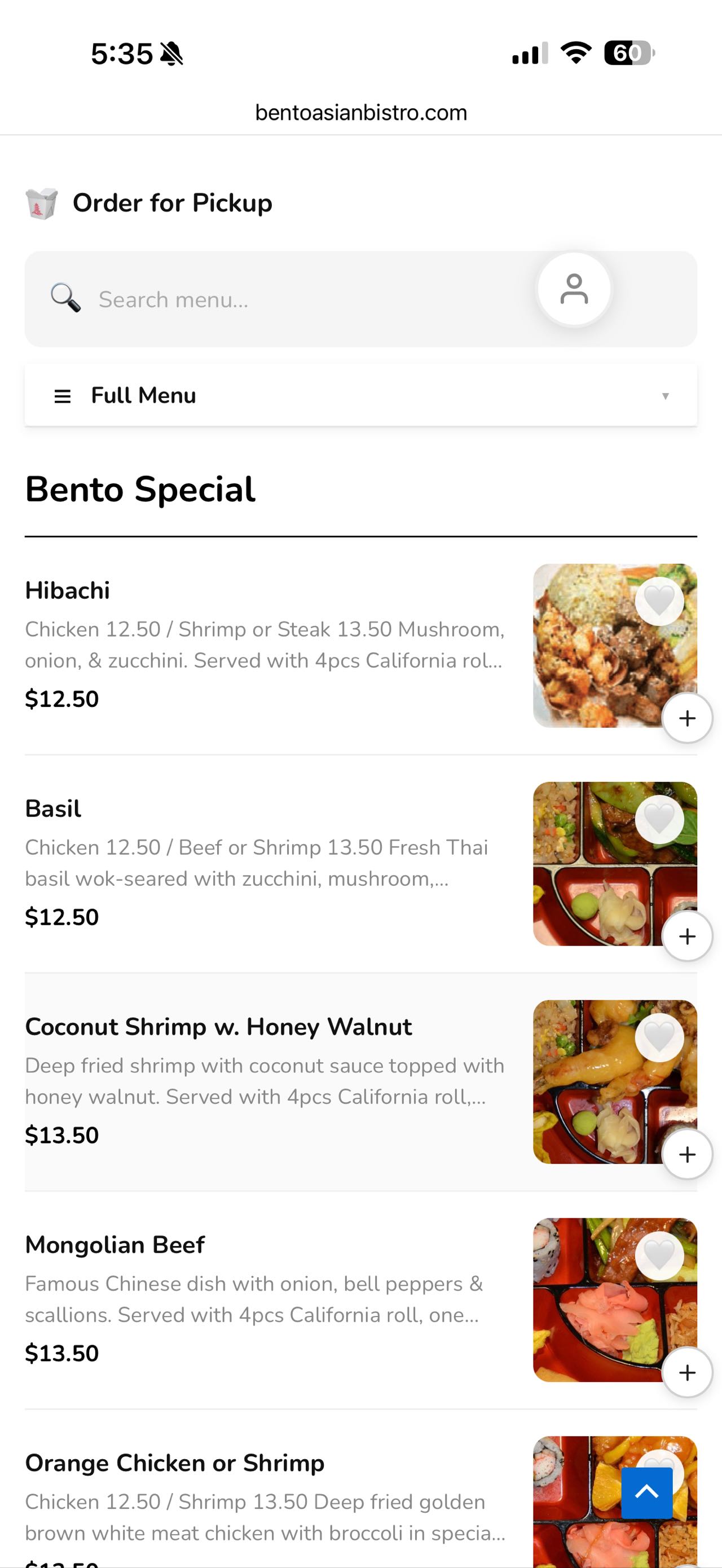
- Responsive menu with photos, categories, featured items, and search
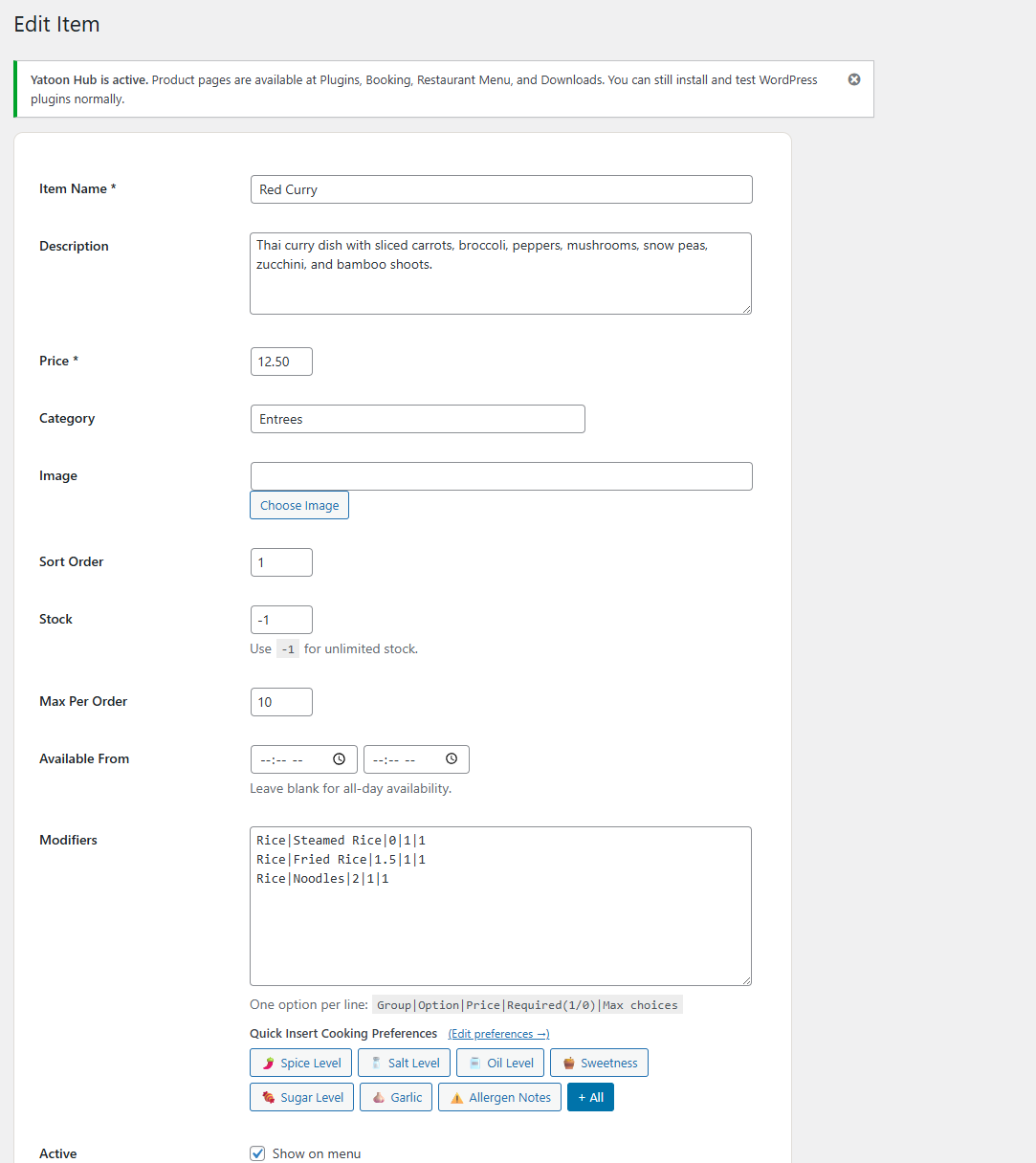
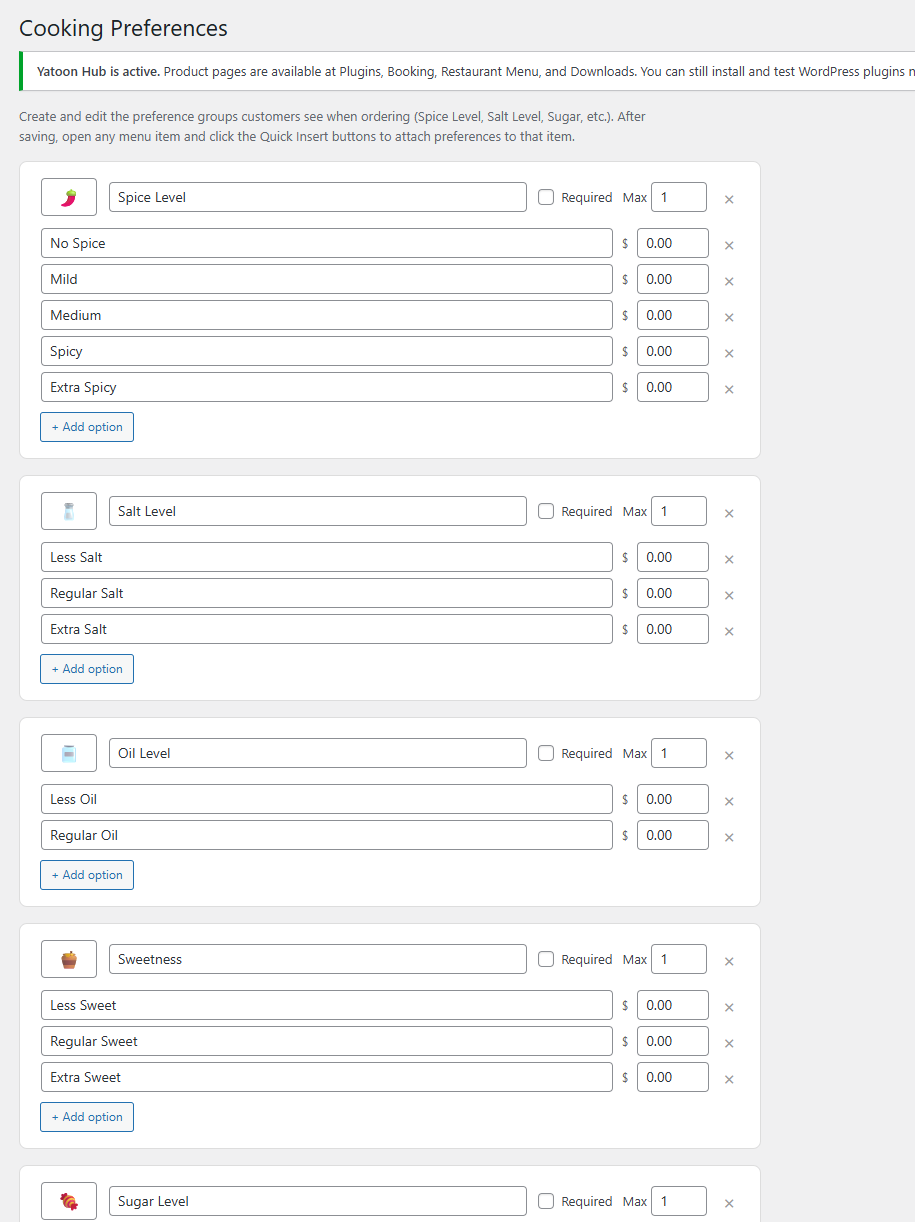
- Modifiers, cooking preferences, and special instructions
- Pay-at-restaurant ordering for pickup
- Closed dates / holiday controls for blocking orders on special days
- Coupons, tips, tax, service fee, scheduled orders, and slot capacity
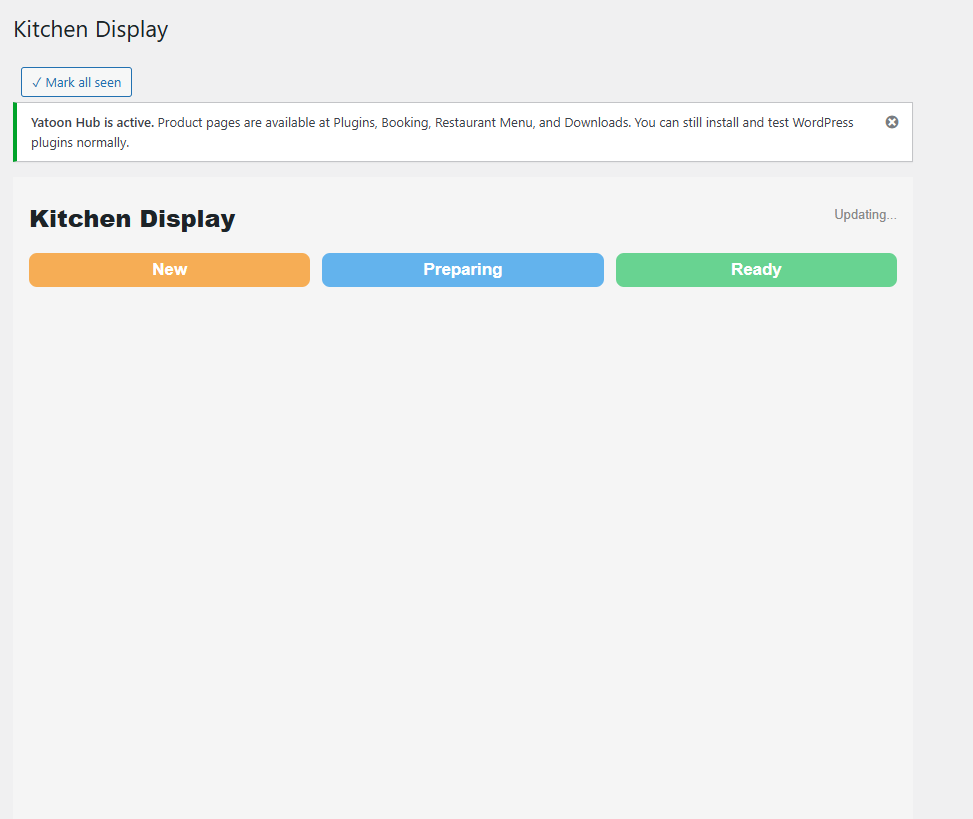
- Kitchen Display shortcode and customer Order Status shortcode
- Printable kitchen tickets
- Table reservations with time slots, party size, location, and admin confirmation
- Reservation capacity controls and customizable reservation emails
- Single-location menu setup
- Browser-based auto-print helper for kitchen tickets
- Email notifications and browser sound alerts for new orders
- Item tags and hero promotional banner
Shortcodes
- [yatoon_menu] – full menu with cart and checkout
- [yatoon_kitchen] – kitchen display
- [yatoon_order_status] – customer order tracking
Upgrade to Pro
Yatoon Restaurant Menu Pro adds Stripe card payments, Apple Pay, Google Pay, Alipay, WeChat Pay, PayPal, Stripe webhook recovery, Twilio SMS, delivery/dine-in/QR table workflows, customer accounts, loyalty, reports, CSV exports, and cloud print integrations.
External Services
The Free version does not call payment, SMS, QR, cloud print, or reporting services. Freemius SDK is bundled for upgrade/account services.
- Freemius: https://freemius.com/ Terms: https://freemius.com/terms/ Privacy: https://freemius.com/privacy/
Tangkapan Layar
Instalasi
- Upload and activate the plugin ZIP.
- Open Yatoon Restaurant Menu > Setup Wizard.
- Create the required pages and configure restaurant settings.
- Add or edit menu items.
- Test a complete order before going live.
- Preview the customer experience at https://yatoon.com/menuorderingdemo/.
Ulasan
Belum ada ulasan untuk plugin ini.
Kontributor & Pengembang
“Yatoon Restaurant Menu & Online Ordering with AI Assistant” adalah perangkat lunak open source. Berikut ini mereka yang sudah berkontribusi pada plugin ini.
Kontributor
Terjemahkan “Yatoon Restaurant Menu & Online Ordering with AI Assistant” dalam bahasa Anda.
Tertarik mengembangkan?
Lihat kode, periksa repositori SVN , atau mendaftar ke log pengembangan melalui RSS.
Log Perubahan
3.0.7
- Fixed: Deferred Freemius SDK initialization until normal plugin loading to improve WordPress.org activation reliability.
3.0.6
- New: AI provider order and model choices can be configured for Google Gemini, OpenAI GPT, and Anthropic Claude.
- New: The AI privacy note under the customer input can be edited from the AI Assistant settings page.
- Improved: Gemini Flash is the default first AI choice, with OpenAI and Claude available as preferred providers or fallbacks.
3.0.2
- Improved: AI Food Assistant collapsed button keeps the merchant’s custom title, size, color, and background controls.
- Improved: Admin list tables keep long values on one line with ellipsis instead of vertical wrapping.
- New: Desktop admin list tables support drag-to-resize columns with saved widths per table.
3.0.0
- New: AI-ready restaurant ordering experience for WordPress 7.0 AI Client.
- New: AI Food Assistant suggests clickable dishes from the restaurant’s real menu.
- New: Dedicated AI Assistant admin page with switch, connector guidance, and provider priority.
- Improved: WordPress 6.9 and older remain compatible; ordering works normally without AI generation.
2.4.9
- Synced versioning with the Pro express-wallet checkout polish release.
2.4.8
- Replaced the browser clear-cart confirmation with an app-style confirmation sheet.
- Improved cart cleanup behavior so totals and coupon state refresh immediately after clearing.
2.4.7
- Added clearer checkout error recovery with a visible alert above order details.
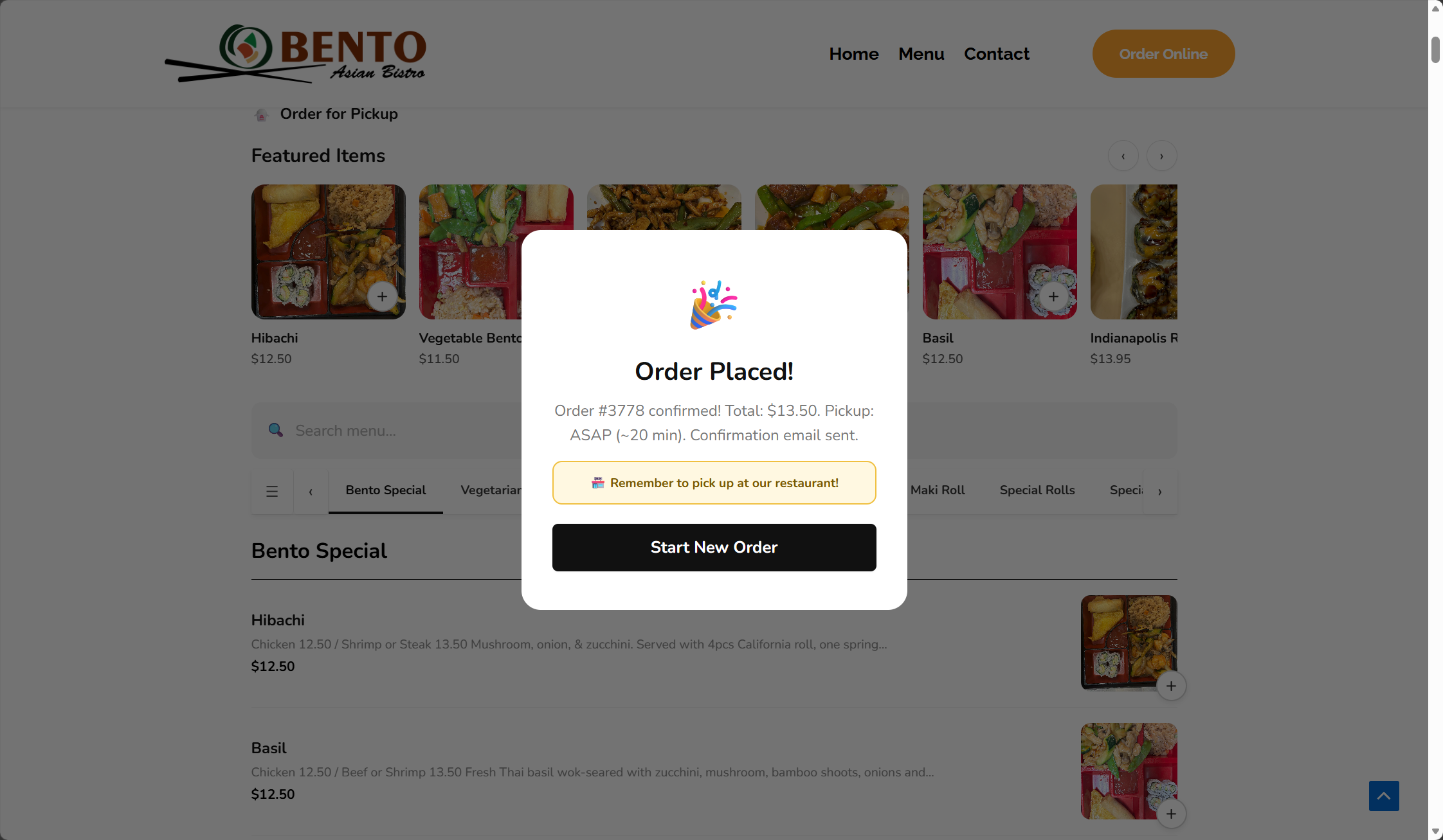
- Improved the order confirmation sheet with an order-number summary card.
- Added a test-order readiness step so merchants know to place one order before launch.
2.4.6
- Added smart prep-time estimates based on cart quantity and different dishes.
- Scheduled-order minimum time now uses the same smart prep estimate.
- Added admin controls for base prep time, different-item increments, and same-item increments.
2.4.5
- Improved the order success screen with pickup, total, and order tracking details.
- Corrected the Stripe webhook URL shown in setup guidance.
- Synced versioning with the Pro checkout polish release.
2.4.4
- Synced the Free package version with the Pro payment release.
- Clarified that Apple Pay and Google Pay are Pro online-payment capabilities powered by Stripe.
2.4.3
- Added mobile app-style polish for product sheets, checkout sheets, bottom cart bar, category pills, and menu item cards.
- Improved mobile touch density, safe-area spacing, and scroll behavior for iPhone-style browsers.
- Tightened mobile modifier typography again so special-request choices feel lighter and more native.
2.4.2
- Removed the desktop cart count badge from the template so no black corner dot can appear.
- Further reduced special-request option label and choice typography for a cleaner compact modal.
- Clarified coupon fallback messaging when customers type a coupon that is not applied or invalid.
- Bumped front-end asset versions so stores receive the cart and modifier refinements immediately.
2.4.1
- Hid the app-style bottom cart bar on desktop for a cleaner restaurant page.
- Kept the bottom cart bar mobile-only and visible only after customers add items.
- Added a compact desktop cart pill with item count and total after customers add food.
- Polished the cart drawer empty state and hid checkout controls when the order is empty.
- Clarified industry template setup in admin and made template selection update visually before saving.
- Removed the duplicate desktop cart badge that could appear as a black corner mark.
- Tightened special-request option typography and spacing for a cleaner modal.
- Added checkout AJAX recovery so coupon and order buttons always show feedback and reset after request failures.
- Made coupon handling non-blocking so invalid or un-applied coupon text cannot prevent a valid order from being placed.
- Bumped front-end asset versions so the cart bar visibility fix is not blocked by cached 2.4.0 CSS or JavaScript.
2.4.0
- Hardened the Free edition so Pro-only settings remain locked and cannot activate saved premium credentials after a downgrade.
- Added upgrade gates for reports, CSV export, QR tables, delivery/dine-in, customer accounts, loyalty, SMS, payment, follow-up, and cloud print capabilities.
- Added request rate limiting for ordering, cart previews, reservations, OTP, and account auth endpoints.
- Updated Free readme positioning to clearly separate Free and Pro capabilities.
- Fixed checkout UX issues: add-to-cart no longer triggers customer-name alerts, SMS phone verification stays hidden in Free, email is required, and mobile sticky navigation avoids overlap.
- Kept phone number collection for restaurant follow-up while keeping SMS verification and tip prompts out of the Free pickup flow.
- Improved checkout clarity by hiding single-option pickup/payment rows, adding an Edit Cart action in checkout, making readiness todos clickable, and switching option choices to radio-dot styling.
- Added the live ordering demo link to the plugin metadata and readme.
- Added industry storefront templates for Apple Minimal, Sushi Bar, Chinese Takeout, and Cafe & Bakery menu experiences.
2.3.8
- Fixed QR table orders so scanned table labels are saved, treated as dine-in orders, and shown clearly in Orders and printed tickets.
2.3.7
- Refined favorite heart styling to remove the circular background and use a lighter icon-only treatment.
2.3.6
- Fixed favorite heart visibility so CSS cannot expose the button before a customer is signed in.
2.3.5
- Hid favorite hearts for signed-out visitors and WordPress administrators; favorites now appear only for customer accounts.
2.3.4
- Added a productized admin launch dashboard with readiness progress, clear setup actions, and stronger restaurant-focused positioning.
- Added subtle front-end trust badges for direct restaurant ordering and customer order updates.
2.3.3
- Prevented browser username autofill from appearing in the menu search box.
2.3.2
- Changed favorites so heart buttons are hidden for signed-out visitors and shown only after sign-in.
- Fixed favorite click handling so saved items update reliably after login.
2.3.1
- Polished front-end icons, checkout copy, pickup notice styling, cart drawer height, and order confirmation details.
- Improved admin menu item and order screens with cleaner cards, table spacing, image styling, and action layout.
2.3.0
- Added Apple-inspired front-end polish with cleaner menu cards, softer shadows, rounded controls, and mobile cart improvements.
- Added an operations dashboard with order, sales, payment, delivery, print, and Google Business health cards.
- Added loyalty points, birthday coupon planning, follow-up email campaigns, abandoned-cart campaign settings, and Google Business profile prompts.
- Updated Pro messaging to include PayPal alongside Stripe, wallets, Alipay, WeChat Pay, and Twilio SMS.
2.1.0
- Added visual row editors for locations, delivery zones, closed dates, reservation slots, and QR tables.
- Added reservation capacity per time slot and location.
- Added reservation request, confirmation, and cancellation email templates.
- Added optional cloud print webhook for thermal/cloud print bridge integrations.
- Updated the front-end menu into a card block layout and added WordPress.org screenshot assets.
2.0.0
- Added table reservation form shortcode, reservation database table, and admin confirmation workflow.
- Added multi-location setup, front-end location switcher, and menu item visibility by location.
- Upgraded reports with date filters, daily sales chart, top item revenue, and range-based CSV export.
- Added browser auto-print helper for new kitchen tickets.
- Refined front-end and admin UI for cleaner restaurant operations.
1.9.5
- Added closed dates / holiday controls with custom customer-facing closure messages.
- Added CSV export for all orders and last-30-day reports.
- Added printable kitchen/order tickets from the Orders screen.
1.9.0
- Added delivery zones with address matching, zone fees, minimum order checks, and ETA labels.
- Added QR Tables admin page with printable table cards and dine-in prefill links.
- Added Reports dashboard for 30-day sales, order counts, fulfillment mix, statuses, and top items.
- Added table and delivery zone context to kitchen display cards.
1.8.0
- Added Setup Wizard with launch checklist and automatic page creation.
- Added visible Kitchen Alerts settings for browser sound and kitchen polling token.
- Updated onboarding for version 1.8.0.
- Fixed Plugin Check database query findings for custom plugin tables.
1.7.0
- Improved mobile app-style ordering UI.
- Added safer order tracking with secure tracking keys and contact verification fallback.
- Added scheduled-order validation, pause ordering controls, and time-slot capacity checks.
1.6.2
- Added item tag badges, hero promotional banner, and visual coupon manager.
- Fixed cart quantity buttons for items with modifiers.
1.5.0
- Initial public release.