
Deskripsi
Devllo Accessibility Controls provides a lightweight, privacy-first accessibility widget that lets visitors adjust how they read and interact with your site. It focuses on user-controlled presentation (text size, contrast, reading preferences) and admin guidance (checks and hints). The plugin complements good accessible design—it does not replace design, development, or manual accessibility testing.
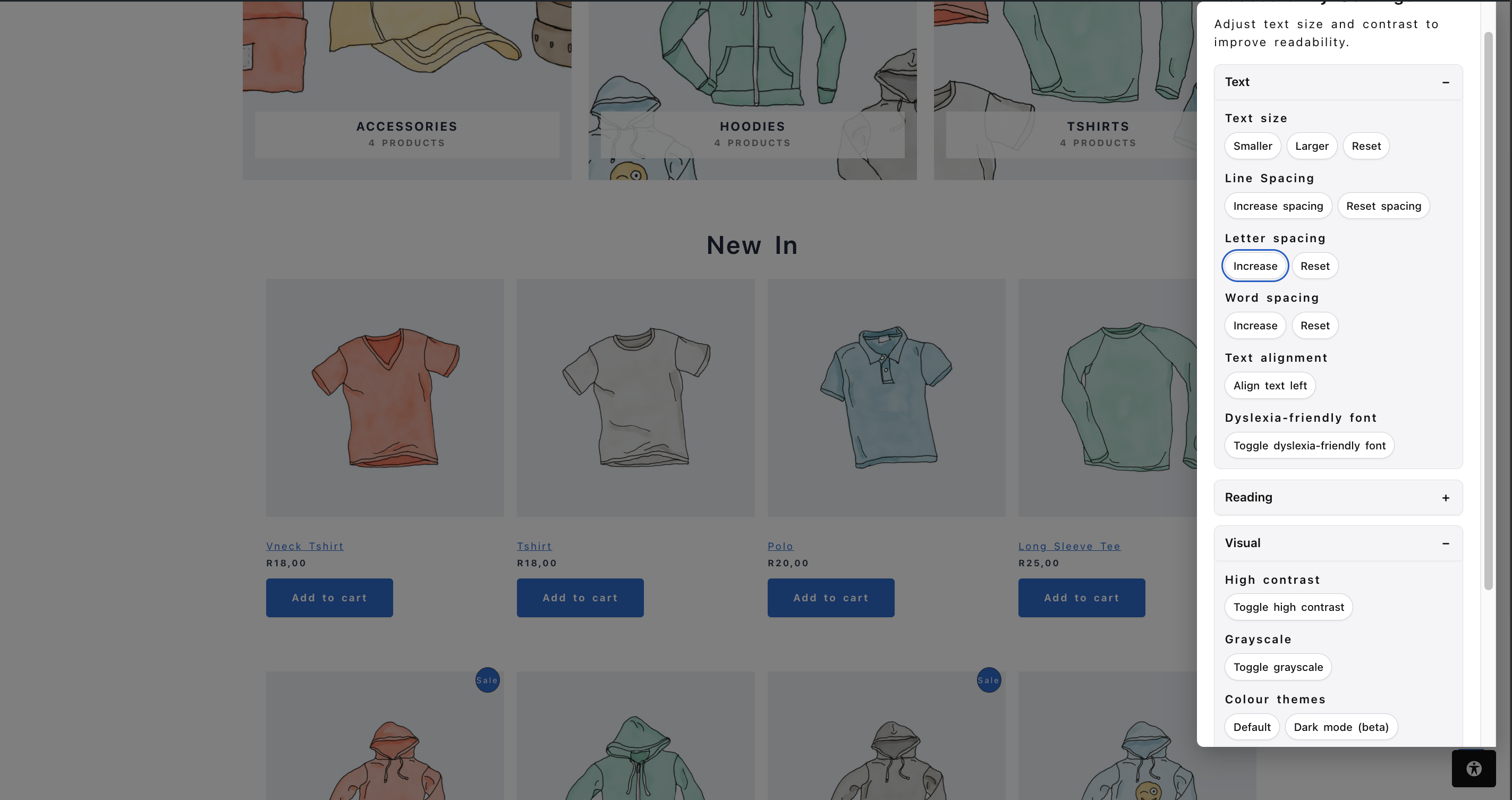
Key visitor controls:
- Text size (increase, decrease, reset)
- Line, letter, and word spacing
- Text align left
- Dyslexia-friendly font (OpenDyslexic, bundled)
- High contrast, grayscale, and dark modes
- Brightness control
- Reading mode (narrower column, focus state)
- Reading guide and reading mask
- Big cursor and link highlighting
- Focus outline enhancement, high visibility focus, and reduced motion
- Calm mode (reduces sidebars, sticky bars, and auto-rotating content)
- Larger click targets
- Hide images and reset preferences
- Preferences stored locally (localStorage) and restored on return visits
Admin features:
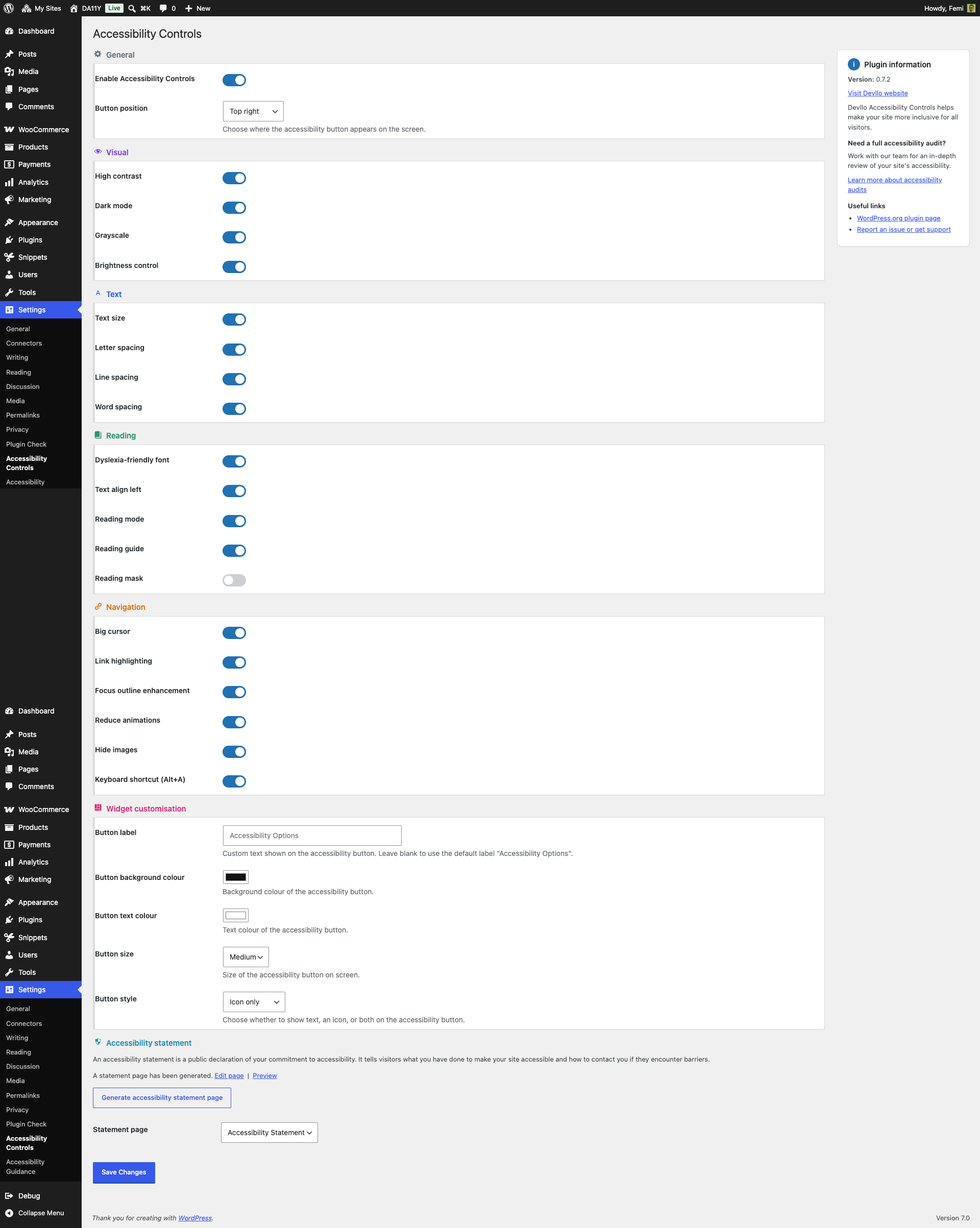
- Tabbed settings page with categorized, per-feature toggles (General, Visual, Text, Reading, Navigation, Widget, Statement)
- Widget customization (label, colors, size, position)
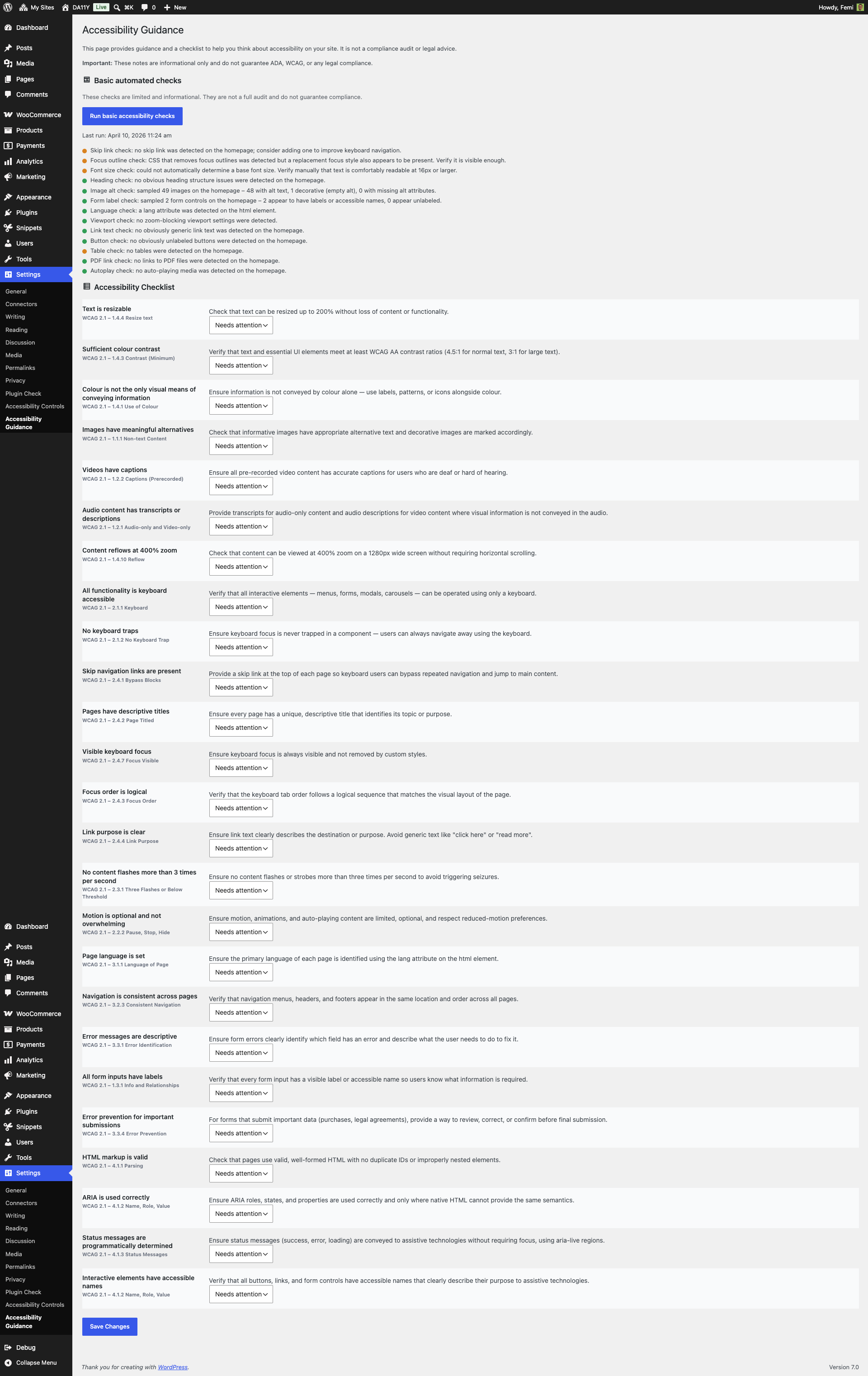
- Accessibility Guidance page: 25-item WCAG-inspired checklist grouped by principle (Perceivable, Operable, Understandable, Robust), with a live summary of reviewed / needs attention / not applicable items
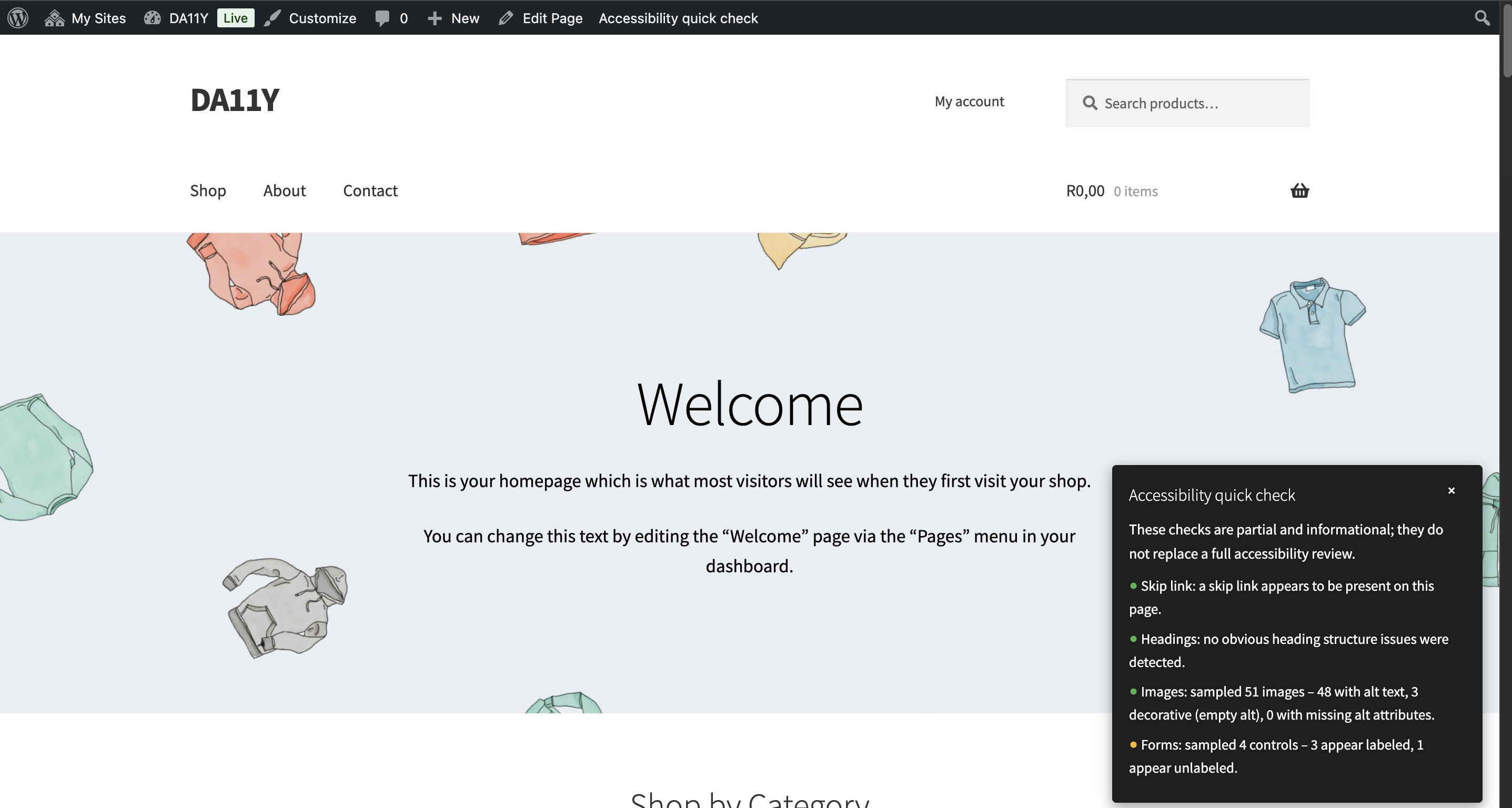
- Automated, informational checks (skip link, headings, image alt sampling, etc.) with clear status indicators
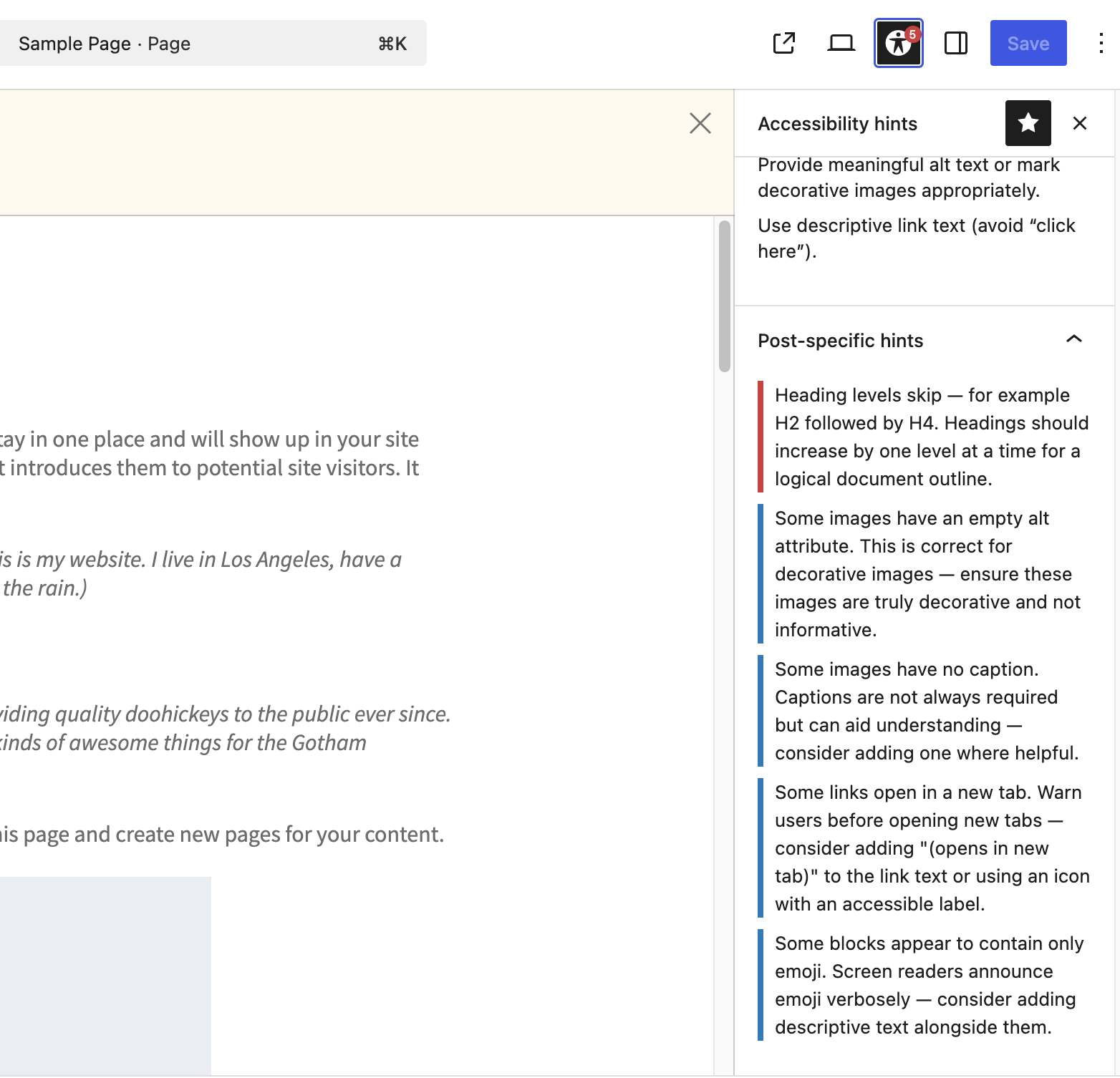
- Block editor hints panel with contextual suggestions
- Frontend quick check via the admin bar
- Accessibility statement generator (creates a draft page)
What this plugin does NOT do:
- It does not perform a full accessibility audit or produce legally-binding compliance reports.
- It does not automatically fix content — it helps visitors and site owners identify and mitigate presentation issues.
Developer Notes
Filters:
da11y_default_settings— Modify the plugin’s default settings array before initialization.da11y_frontend_config— Alter the configuration object passed to the frontend script (da11yConfig).
Actions:
da11y_before_trigger/da11y_after_trigger— Hooks before/after the frontend trigger markup.da11y_before_dialog/da11y_after_dialog— Hooks before/after the accessibility dialog markup.
Tangkapan Layar
Instalasi
- Upload the
devllo-accessibility-controlsfolder to the/wp-content/plugins/directory, or install via the plugin installer if available. - Activate the plugin from the Plugins screen in WordPress.
- Configure the plugin under Settings Accessibility Controls:
- Enable the widget and choose a corner position
- Toggle features you want available to visitors
- Customize button label, colors, and size
- (Optional) Use the Accessibility Guidance page to run quick checks and generate an accessibility statement draft.
Tanya Jawab
-
Will this plugin make my site WCAG/ADA compliant?
-
No. The plugin improves visitor experience and offers guidance, but compliance requires accessible content, semantic markup, testing, and often manual remediation.
-
Does the plugin collect user data?
-
No personal data is collected. Preferences are stored locally in the visitor’s browser via
localStorage.
Ulasan
Belum ada ulasan untuk plugin ini.
Kontributor & Pengembang
“Devllo Accessibility Controls” adalah perangkat lunak open source. Berikut ini mereka yang sudah berkontribusi pada plugin ini.
Kontributor

Terjemahkan “Devllo Accessibility Controls” dalam bahasa Anda.
Tertarik mengembangkan?
Lihat kode, periksa repositori SVN , atau mendaftar ke log pengembangan melalui RSS.
Log Perubahan
1.1.1
- Updated Tested up to: 7.1
1.1.0
- Added Calm mode — reduces distracting sidebars, sticky bars, and auto-rotating content
- Added High visibility focus — thicker, high-contrast focus outlines
- Added Larger click targets — increases the size of buttons, links, and form controls
- Added corresponding admin feature toggles for the three new controls
- Redesigned the settings page with accessible, keyboard-navigable tabs (General, Visual, Text, Reading, Navigation, Widget, Statement)
- Redesigned the Accessibility Guidance page: checklist items are now grouped by WCAG principle with a live status summary, and automated check results use labelled status chips instead of colour-only indicators
- Fixed the “Reduce motion” toggle not appearing in the accessibility dialog even when enabled in settings
1.0.0
- Stable release — initial WordPress.org distribution (feature-complete for v1)
0.7.2
- Improved keyboard focus outlines and ARIA labeling for frontend controls
- Clarified admin setting descriptions
0.7.0
- Added many visitor-facing options: grayscale, letter/word spacing, reading guide, reading mask, big cursor, link highlighting, hide images, brightness
- Widget customization and per-feature admin toggles
- Accessibility statement generator and expanded guidance checks
- Bundled OpenDyslexic font locally
0.6.x and earlier
- Iterative improvements: spacing controls, reading mode, automated guidance checks, block editor hints, and accessibility quick checks