

Deskripsi
ProfitGuard adds profitability visibility to WooCommerce by combining product cost, payment fees, shipping assumptions, and ad spend assumptions into one clear view.
Key Features
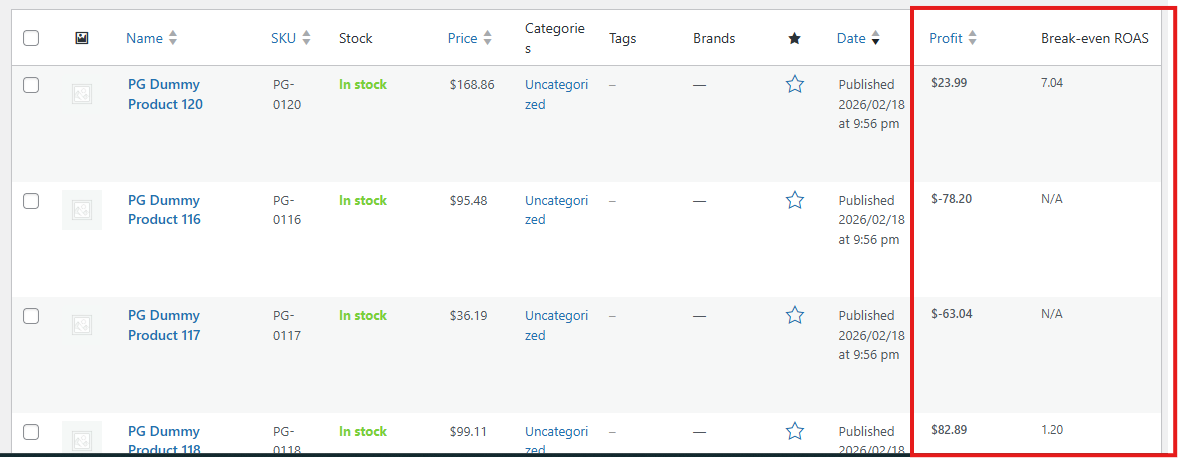
- Product-level Profit column in WooCommerce product list.
- Break-even ROAS column for quick ad efficiency decisions.
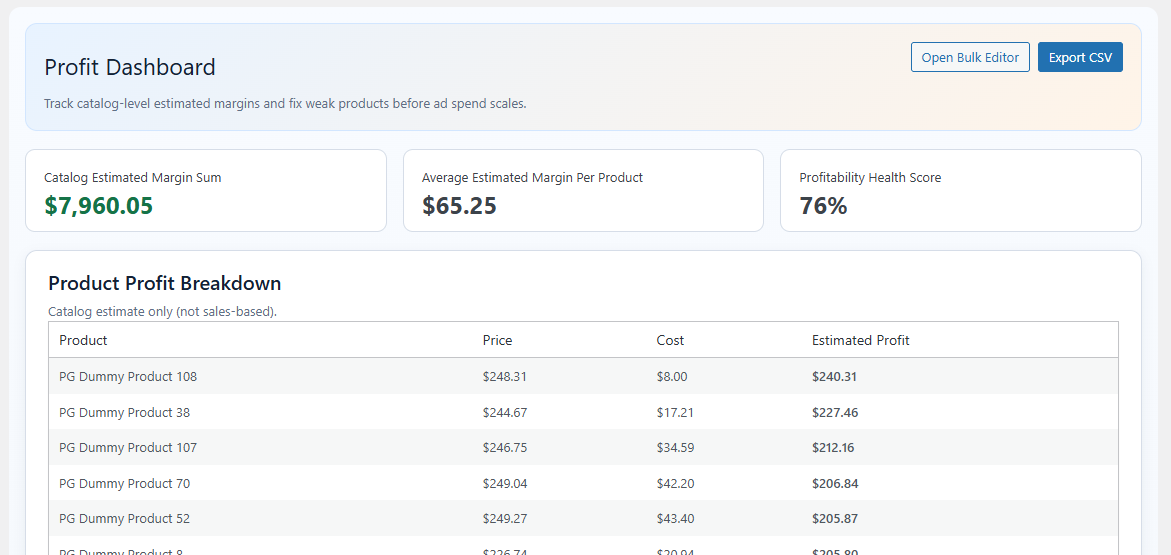
- Profit dashboard with summary stats and product breakdown.
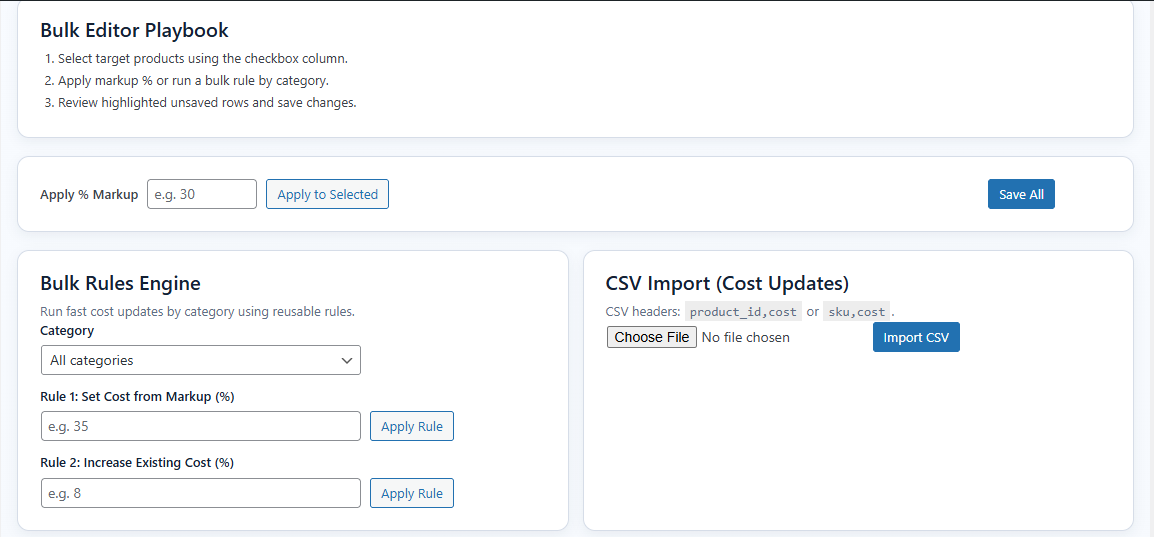
- Bulk cost editor with inline editing and markup tools for selected rows.
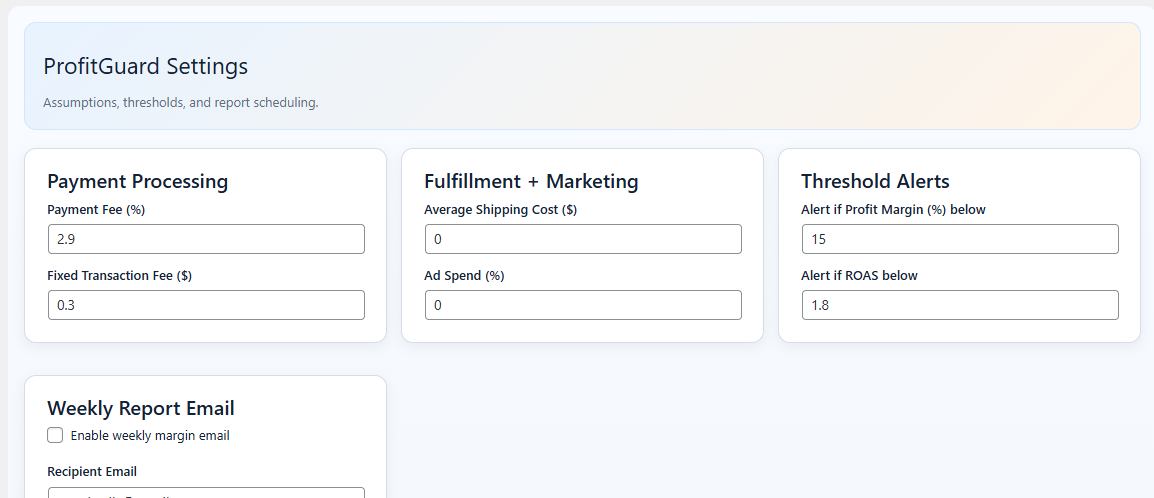
- Settings to define default fee and cost assumptions.
Tangkapan Layar
Instalasi
- Upload the plugin folder to the
/wp-content/plugins/directory, or install through the WordPress Plugins screen. - Activate the plugin through the
Pluginsscreen in WordPress. - Ensure WooCommerce is active.
- Open
ProfitGuardin wp-admin to configure settings and costs.
Tanya Jawab
-
Does this plugin require WooCommerce?
-
Yes. ProfitGuard is built for WooCommerce products and requires WooCommerce to be active.
-
How are profits calculated?
-
Estimated profit uses:
Profit = Sale Price - (Product Cost + Payment Fee + Fixed Fee + Shipping Cost + Ad Cost) -
Can I use ProfitGuard for free?
-
Yes. All features included in this package are available without license gating.
Ulasan
Belum ada ulasan untuk plugin ini.
Kontributor & Pengembang
“ProfitGuard” adalah perangkat lunak open source. Berikut ini mereka yang sudah berkontribusi pada plugin ini.
Kontributor

Terjemahkan “ProfitGuard” dalam bahasa Anda.
Tertarik mengembangkan?
Lihat kode, periksa repositori SVN , atau mendaftar ke log pengembangan melalui RSS.
Log Perubahan
1.0.4
- Compatibility release for WordPress 7.0.
1.0.3
- Bug fixes.
1.0.2
- Bug fixes.
1.0.0
- Initial public release.
- Added product list Profit and Break-even ROAS columns.
- Added ProfitGuard dashboard and settings.
- Added bulk cost editor workflow.