

Deskripsi
BlogCutter Activity Log & Security Audit records important actions on your WordPress site and shows them in a searchable admin dashboard. Logs stay on your site. They are not sent to BlogCutter or any other remote service.
The plugin is tested with WordPress 7.1. It does not add scripts to the block editor canvas, so the iframed post editor in 7.1 does not affect logging.
What it records
- Successful logins, logouts, and failed sign-in attempts
- Password reset requests and completions
- User account, profile, and role changes
- Application password create and revoke events
- Posts, pages, media, comments, menus, widgets, and taxonomy terms
- Plugin, theme, and WordPress core updates
- Important core setting changes (not every options-table write)
- 404 errors and public search queries
- Optional guest visits (off by default, one log per IP and URL each hour)
- Optional outgoing email and REST write requests
Dashboard
- Filter by time range and event type
- Search by user, IP, or message
- Color-coded event types
- CSV and JSON export of the current filters
- Active sessions list with the option to end another user’s sessions
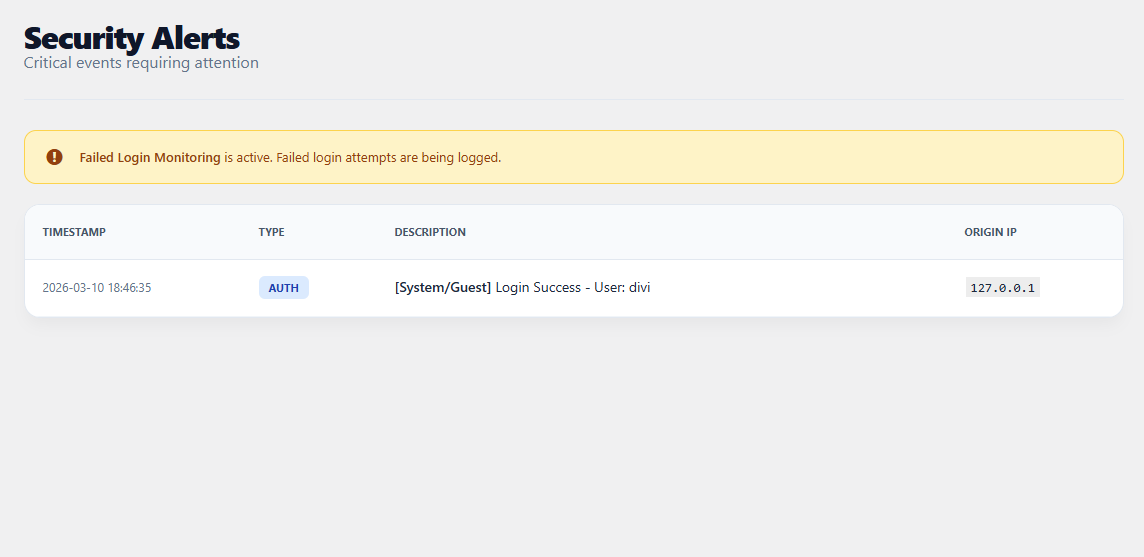
- Failed-login summary by IP
- Daily cleanup by age and maximum row count
- WordPress privacy exporter and eraser support
- Optional email when one IP fails login too many times in an hour
On WordPress 6.9 and 7.1 the plugin also registers read-only Abilities for an audit summary and recent log rows. Those abilities are not exposed on the REST API.
Privacy
All log data is stored in a database table on your WordPress site. Administrators can export or delete it. Suggested privacy-policy text is added under Settings Privacy. Guest visit logging is optional and off by default.
Tangkapan Layar




Instalasi
- Upload the plugin folder to
/wp-content/plugins/. - Activate BlogCutter Activity Log & Security Audit.
- Open Activity Log in the admin menu.
- Review Activity Log Settings.
Tanya Jawab
-
Does this work with WordPress 7.1?
-
Yes. Version 6.0.0 is tested up to WordPress 7.1. Logging runs in PHP on standard WordPress hooks and does not depend on the block editor iframe.
-
Does it slow the site down?
-
Logging is limited to events you enable. Guest page-visit logging is off by default. When it is on, the same IP and URL are recorded at most once per hour. Known bots can be ignored.
-
Where are logs stored?
-
In the
wp_bcal_logsdatabase table (with your site prefix). Older file-based logs from version 5 are imported once after you update. -
Can I export logs?
-
Yes. Export CSV or JSON from the dashboard. Exports follow the filters you have selected.
-
Can I stop logging guest visits?
-
Yes. Guest visits are off by default. 404 and search logging can be turned off separately.
-
Does this block brute-force attacks?
-
No. It records failed logins and can email the site admin after repeated failures from one IP. It does not block IPs or replace a firewall.
-
Is the data sent off-site?
-
No. Logs stay in your WordPress database.
Ulasan
Belum ada ulasan untuk plugin ini.
Kontributor & Pengembang
“BlogCutter Activity Log & Security Audit” adalah perangkat lunak open source. Berikut ini mereka yang sudah berkontribusi pada plugin ini.
Kontributor
Terjemahkan “BlogCutter Activity Log & Security Audit” dalam bahasa Anda.
Tertarik mengembangkan?
Lihat kode, periksa repositori SVN , atau mendaftar ke log pengembangan melalui RSS.
Log Perubahan
6.0.0
- Tested with WordPress 7.1
- Store events in a database table instead of a growing log file
- Import existing 5.x vault file entries on upgrade
- Add time-range and event-type filters
- Add JSON export and filter-aware CSV export
- Add logout, password reset, media, user, and application-password tracking
- Add optional failed-login email alerts
- Add session sign-out for other users
- Add daily retention by days and maximum rows
- Add WordPress privacy exporter, eraser, and policy text
- Register read-only Abilities on WordPress 6.9+
- Rebuild the admin UI to match WordPress admin patterns
- Turn guest visit logging off by default and debounce it
- Log only important core settings instead of every option update
- Require WordPress 6.0 or newer
5.1.0
- Search, pagination, and dashboard styling updates
5.0.1
- Search bar and pagination improvements
5.0.0
- Session list, 404 monitoring, comments, roles, and security view
4.5.0
- Filesystem and escaping improvements