
Deskripsi
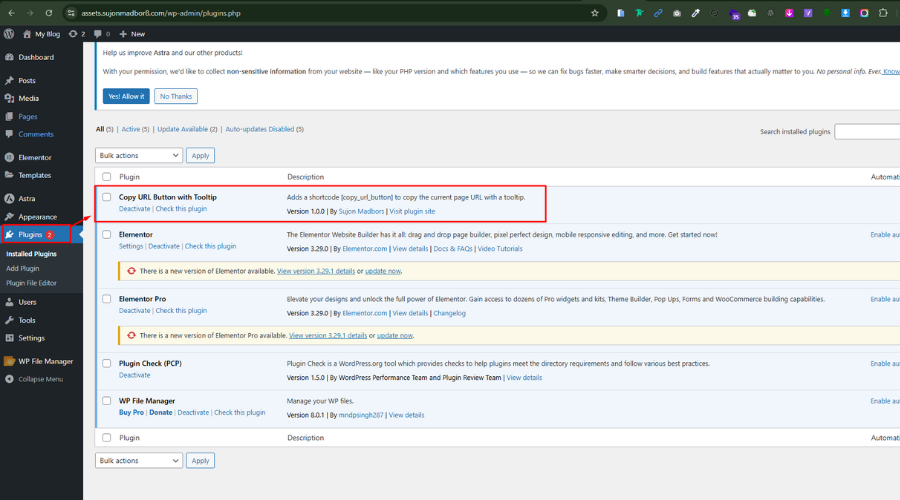
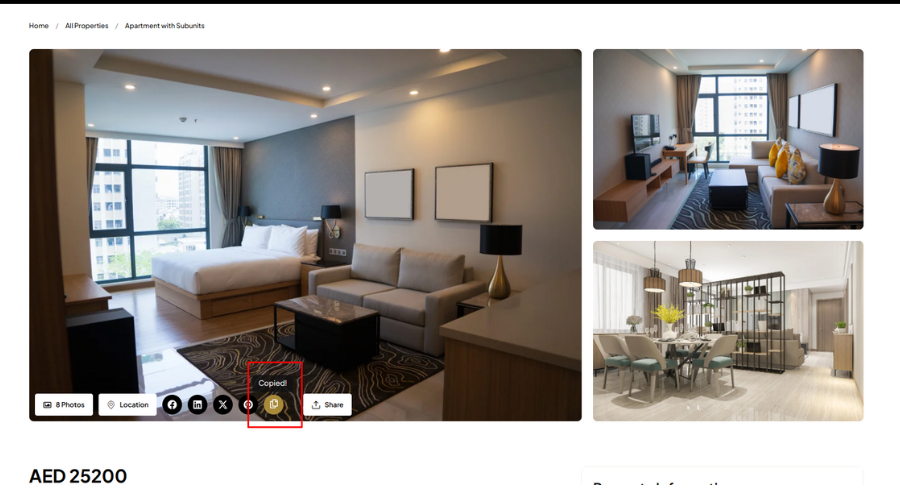
This lightweight plugin adds a copy button that copies the current page URL and shows a tooltip saying “Copied!”.
Features:
- Shortcode:
[copy_url_button] - Lightweight and fast
- Stylish tooltip that fades in/out
- No configuration required
Tangkapan Layar
Instalasi
- Upload the plugin files to the
/wp-content/plugins/copy-url-button-with-tooltipdirectory, or install the plugin through the WordPress admin area. - Activate the plugin through the ‘Plugins’ menu in WordPress.
- Use the
[copy_url_button]shortcode anywhere on your site.
Tanya Jawab
-
Can I use it anywhere?
-
Yes, the shortcode
[copy_url_button]can be used in posts, pages, widgets, or templates usingdo_shortcode().
Ulasan

31 Mei 2025
Simple and effective! The "Copy URL Button with Tooltip" plugin does exactly what it promises—adds a clean copy-to-clipboard button with a helpful tooltip. Lightweight, easy to use, and perfect for quickly copying a URL and sharing.
Kontributor & Pengembang
“Copy URL Button with Tooltip” adalah perangkat lunak open source. Berikut ini mereka yang sudah berkontribusi pada plugin ini.
Kontributor
Terjemahkan “Copy URL Button with Tooltip” dalam bahasa Anda.
Tertarik mengembangkan?
Lihat kode, periksa repositori SVN , atau mendaftar ke log pengembangan melalui RSS.
Log Perubahan
5.2.2
- Initial release