
Deskripsi
Khattam is a powerful and user-friendly WordPress plugin designed to add logo watermarks to your images. It offers multiple methods to apply and manage watermarks, ensuring flexibility and efficiency for website administrators and content creators.
Key Features
- Automatic Watermarking: Automatically apply your logo to images upon upload
- Gutenberg Integration: Add watermarks to all images within the current post
- Individual Image Control: Place or remove the logo on specific images
- Bulk Actions: Apply or remove watermarks in bulk
- Customizable Settings:
- Logo Position: Choose from four corners
- Logo Size: Specify as percentage of image size
- Logo Opacity: Adjust transparency level
- Performance Optimized: Efficient watermarking process
- Supports Various Image Formats: PNG, JPG, WebP, and GIF
- Backup & Restore: Keeps original image backup
- Multilingual Support: Fully supports Arabic
Tangkapan Layar
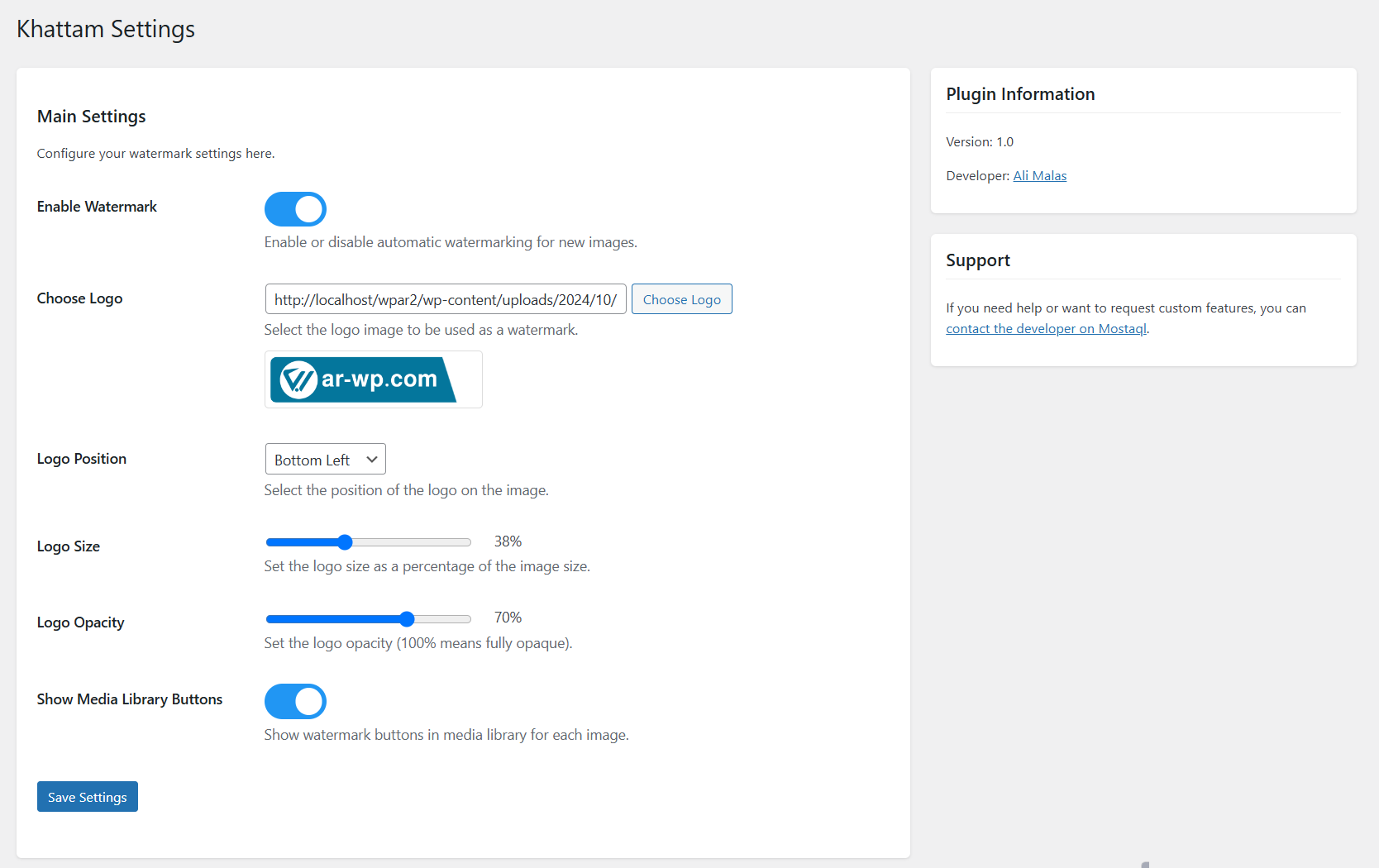
Settings page where you can configure your watermark options 
Media library bulk actions for watermarking multiple images 
Gutenberg editor integration showing watermark controls 
Individual image watermark controls in media library
Instalasi
- Upload the plugin files to the
/wp-content/plugins/khattamdirectory, or install the plugin through the WordPress plugins screen directly. - Activate the plugin through the ‘Plugins’ screen in WordPress
- Use the Settings->Khattam screen to configure the plugin
- Upload your logo and configure default settings
Tanya Jawab
-
Can I customize the appearance of the watermark beyond position, size, and opacity?
-
Currently, Khattam allows customization of logo position, size, and opacity. Future updates may include more customization options based on user feedback.
-
What should I do if the original image is not found when removing a watermark?
-
Ensure that the original image backup was created successfully. If issues persist, please contact the developer for support.
-
Does it support all image types?
-
The plugin supports PNG, JPG, WebP, and GIF formats. Note that animated GIFs are not supported.
Ulasan

Kontributor & Pengembang
“Khattam – Image Watermark” adalah perangkat lunak open source. Berikut ini mereka yang sudah berkontribusi pada plugin ini.
Kontributor
Terjemahkan “Khattam – Image Watermark” dalam bahasa Anda.
Tertarik mengembangkan?
Lihat kode, periksa repositori SVN , atau mendaftar ke log pengembangan melalui RSS.
Log Perubahan
1.1.0
- Added a cleanup tool to delete all original images.
- Improved performance and fixed minor bugs.
1.0.0
- Initial release
- Automatic watermarking on upload
- Gutenberg editor integration
- Individual and bulk watermarking
- Customizable settings
- Arabic language support