
Deskripsi
Show a list of terms assigned to the current post in the specified taxonomy. It also works in the new Query block.
Tangkapan Layar
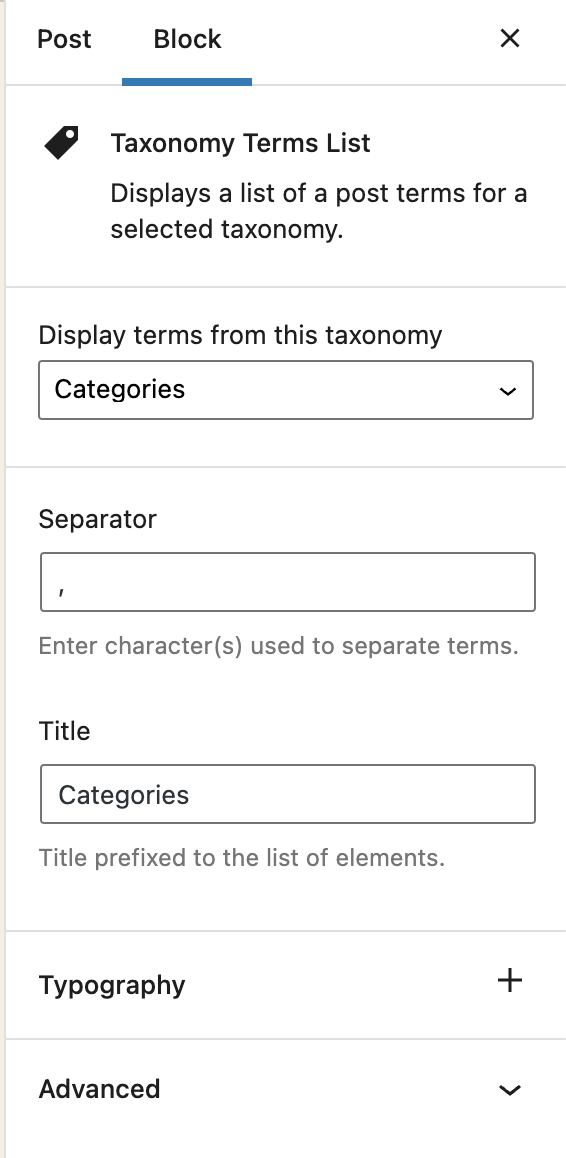

Blok
Plugin ini menyediakan 1 blok.
- Taxonomy Terms List Displays a list of a post terms for a selected taxonomy.
Instalasi
- Visit Plugins > Add New
- Search for ‘Taxonomy Terms List Block’
- Activate Taxonomy Terms List Block from your Plugins page.
- Open your block editor. Now you can add a new Taxonomy Terms List block.
Ulasan

Kontributor & Pengembang
“Taxonomy Terms List Block” adalah perangkat lunak open source. Berikut ini mereka yang sudah berkontribusi pada plugin ini.
Kontributor
“Taxonomy Terms List Block” telah diterjemahkan dalam 1 bahasa. Terima kasih kepada para penerjemah untuk kontribusi-nya.
Terjemahkan “Taxonomy Terms List Block” dalam bahasa Anda.
Tertarik mengembangkan?
Lihat kode, periksa repositori SVN , atau mendaftar ke log pengembangan melalui RSS.
Log Perubahan
1.1.2
Fix: The previous version did not properly include the translated strings. Props again to Christoph Herbst.
1.1.1
Fix: Some of the strings were not translatable. Props to Christoph Herbst.
1.1.0
Enhancement: Support custom background and text color.
Enhancement: Support custom spacing (margin/padding)
Some other UX improvements.
1.0.2
Fix: Taxonomy terms previsualization was not working in the block editor.
1.0.1
Allow to select any taxonomy if the current post has no taxonomies linked.
1.0
First release