

Deskripsi
Welcome to the Will Work for Ko-fi (WW4KOFI) Gutenberg block version 2.0.0.
Add your customised official Ko-fi button to your posts and pages. Visually preview your customisations in the block editor.
This custom Gutenberg Block (CGB) for the Ko-fi donation button allows you to:
- Create an optional heading
- Add a short call-to-action prompt
- Insert your custom button text
- Choose a background colour using a built-in colour picker
- And of course, add your Ko-fi code or username
Usage
- Open a page or post in Gutenberg.
- Click on the
+to add a block. - Start typing “Will Work for Ko-fi” until you see the block appear, then select it.
- Inside the block, enter an optional heading or short description into the respective input fields.
- In the settings sidebar, enter the text you want on your button. This is important! Keep it short.
- In the settings sidebar, use the colour picker for the button’s background.
- Remember to enter your Ko-fi code or username. This is also in the settings sidebar.
- Preview, Update, or Publish your page or post and enjoy 😉
Credits
Built with Create Guten Block.
Will Work for Ko-fi coffee logo by walkerstudio13 from the Noun Project.
Tangkapan Layar
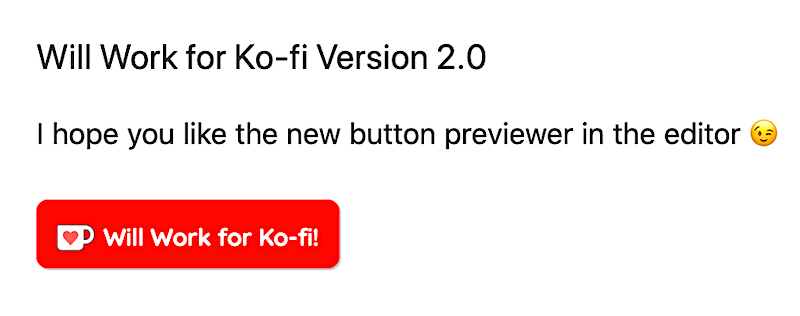


Blok
Plugin ini menyediakan 1 blok.
- Will Work for Ko-fi
Instalasi
- Upload the contents of the plugin zip file to the
/wp-content/plugins/will-work-for-ko-fidirectory, or install the plugin through the WordPress plugins page directly. - Activate the plugin through the ‘Plugins’ page.
Tanya Jawab
-
Is WW4KOFI v2 lightweight?
-
Yes. It’s only 47 KB zipped. And, it uses its’ own local copy of the official Ko-fi widget JavaScript library.
-
It sure is. The Ko-fi button widget code comes from https://ko-fi.com/manage/widgets and it looks like this.
<script type='text/javascript' src='https://ko-fi.com/widgets/widget_2.js'></script><script type='text/javascript'>kofiwidget2.init('Support Me on Ko-fi', '#29abe0', 'D1D7YARD');kofiwidget2.getHTML();</script> -
How can I change the alignment for the Will Work for Ko-fi block?
-
You can change the content alignment by using additional CSS. The additional CSS below will centre justify the WW4KOFI block contents.
.centre-this-block { text-align: center; width: 50%; margin: 0 auto; } -
How can I change the style of the Will Work for Ko-fi block?
-
You can change the content alignment by using additional CSS. The additional CSS below will add slight padding to the contents and create a drop shadow effect.
.style-this-block {
    padding: 1.5%;
    border-radius: 10px;
    box-shadow: 5px 20px 12px rgba(0,0,0,.2);
}
Version 2.1.0 introduced the
.section__kofiCSS class that controls the top/bottom padding for the widget’s heading, description, and button..section__kofi { padding-top: 0; padding-bottom: 0; } -
Do I need to install the Lazy Blocks plugin too?
-
No. Version 2.0.0 does not rely on any third-party plugins. Lazy Blocks is deprecated in v2.0.0.
-
I’m seeing a “This block contains invalid or unexpected content” error message. What must I do to fix it?
-
Click on the horizontal ellipses (…) on the right, then select Attempt Block Recovery.

Kontributor & Pengembang
“Will Work for Ko-fi” adalah perangkat lunak open source. Berikut ini mereka yang sudah berkontribusi pada plugin ini.
Kontributor
“Will Work for Ko-fi” telah diterjemahkan dalam 1 bahasa. Terima kasih kepada para penerjemah untuk kontribusi-nya.
Terjemahkan “Will Work for Ko-fi” dalam bahasa Anda.
Tertarik mengembangkan?
Lihat kode, periksa repositori SVN , atau mendaftar ke log pengembangan melalui RSS.
Log Perubahan
2.1.1
- Added local Ko-fi image assets.
- Tested with WordPress 5.7.1.
2.1.0
- CSS changes. Mainly to add section class to avoid inheriting large padding used in Twenty Twenty theme CSS.
- Tested with WordPress 5.6.
2.0.0
- Added support for live preview of the Ko-fi button. The live preview displays inside the block while in the block editor.
- Moved the button text and button colour controls to the inspector (right sidebar).
- Removed the dependency for Lazy Blocks.
1.2.0
- Added proper use of enqueue for the official Ko-fi JavaScript library.
- Readme updates.
1.0.0
- First release. Tested on the Twenty Twenty and GeneratePress themes.