Title: WP Code Pre
Author: zeshanb
Published: 19 September 2017
Last modified: 8 Agustus 2021
---
Cari plugin
Plugin ini **belum teruji dangan 3 rilis besar WordPress**. Kemungkinan tidak lagi
dipelihara atau didukung, dan mungkin menghadapi masalah kompatibilitas bila digunakan
dengan versi WordPress yang lebih baru.
# WP Code Pre
Oleh [zeshanb](https://profiles.wordpress.org/zeshanb/)
[Unduh](https://downloads.wordpress.org/plugin/wp-code-pre.1.0.1.zip)
* [Detail](https://id.wordpress.org/plugins/wp-code-pre/#description)
* [Ulasan](https://id.wordpress.org/plugins/wp-code-pre/#reviews)
* [Instalasi](https://id.wordpress.org/plugins/wp-code-pre/#installation)
* [Pengembangan](https://id.wordpress.org/plugins/wp-code-pre/#developers)
[Bantuan](https://wordpress.org/support/plugin/wp-code-pre/)
## Deskripsi
This simple plugin was created because of security concerns related to using PHP
preg_replace directly. With transition to PHP7, it’s advised to use preg_replace_callback
instead.
This plugin uses built-in supported feature of PHP-“highlight_string”. This plugin
filters post content inside custom html block for
and helps display html and other source code.
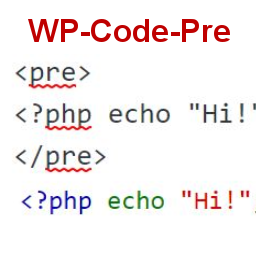
To display source code in your posts, surround source code with pre tags. Plugin
will filter for pre tags and add inline styles that may be modified using your wordpress
theme’s css stylesheet.
For WordPress versions 5.0 and above, HTML pre tags can be used within html block
or, classic block. Use the three dot menu to convert to html when there is a invalid
content error while post editing.
## Tangkapan Layar
* [[
* Code preview on blog post or page
* [[
* Typing code in text tab of WordPress Admin area when writing Post.
* [[
* Convert block to html while editing to make modifications to existing source
code display
## Instalasi
1. Download the plugin
2. Upload the wp-code-pre.zip folder to your site’s wp-content/plugins directory
3. Activate the plugin in the WordPress Admin Panel
4. Surround source code with `
` tags, when writing in blog posts using
Gutenberg with classic block and “Edit as HTML” or, html block
## Tanya Jawab
Why there aren’t any options to modify in admin?
This plugin simply filters for
pre tags.
## Ulasan
Belum ada ulasan untuk plugin ini.
## Kontributor & Pengembang
“WP Code Pre” adalah perangkat lunak open source. Berikut ini mereka yang sudah
berkontribusi pada plugin ini.
Kontributor
* [ zeshanb ](https://profiles.wordpress.org/zeshanb/)
[Terjemahkan “WP Code Pre” dalam bahasa Anda.](https://translate.wordpress.org/projects/wp-plugins/wp-code-pre)
### Tertarik mengembangkan?
[Lihat kode](https://plugins.trac.wordpress.org/browser/wp-code-pre/), periksa [repositori SVN ](https://plugins.svn.wordpress.org/wp-code-pre/),
atau mendaftar ke [log pengembangan](https://plugins.trac.wordpress.org/log/wp-code-pre/)
melalui [RSS](https://plugins.trac.wordpress.org/log/wp-code-pre/?limit=100&mode=stop_on_copy&format=rss).
## Log Perubahan
#### 1.0
* First version of the plugin.
#### 1.0.1
* Updated readme to reflect updates to version 5.0
## Meta
* Versi **1.0**
* Diperbarui **5 tahun yang lalu**
* Instalasi Aktif **10+**
* Versi WordPress ** 4.0 atau yang terbaru **
* Diuji hingga **5.8.13**
* Versi PHP ** 7.0 atau yang terbaru **
* Bahasa
* [English (US)](https://wordpress.org/plugins/wp-code-pre/)
* Tag
* [Code Highlight](https://id.wordpress.org/plugins/tags/code-highlight/)[filter content](https://id.wordpress.org/plugins/tags/filter-content/)
* [Tampilan lanjut](https://id.wordpress.org/plugins/wp-code-pre/advanced/)
## Rating
No reviews have been submitted yet.
[Your review](https://wordpress.org/support/plugin/wp-code-pre/reviews/#new-post)
[Lihat semua ulasan](https://wordpress.org/support/plugin/wp-code-pre/reviews/)
## Kontributor
* [ zeshanb ](https://profiles.wordpress.org/zeshanb/)
## Bantuan
Ada yang ingin dikatakan? Butuh bantuan?
[Lihat forum bantuan](https://wordpress.org/support/plugin/wp-code-pre/)