Lewati ke konten
WordPress.org

Indonesia

  • Tema
  • Plugin
  • Berita
  • Bantuan
  • Tentang
  • Komunitas
  • Poliglot
  • Gunakan WordPress
Gunakan WordPress
WordPress.org

Plugin Directory

SimpleShare: Auto-posting + Share Buttons for Social

  • Kirim plugin
  • Favorit saya
  • Login
  • Kirim plugin
  • Favorit saya
  • Login

SimpleShare: Auto-posting + Share Buttons for Social

Oleh Web Guy
Unduh
  • Detail
  • Ulasan
  • Instalasi
  • Pengembangan
Bantuan

Deskripsi

💬 Ask Question | 📧 Email Me

Auto-post to your social profiles + add share buttons to your posts.

Features

  • Auto-post to Facebook, Instagram, LinkedIn, Pinterest, Reddit, and X when you publish
  • Schedule manual posts to go out at a specific date and time
  • Send custom messages to all connected accounts at any time
  • Skip auto-posting per post, or exclude specific platforms or categories
  • Add custom text before or after every auto-post, globally or per post
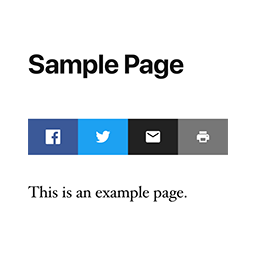
  • Share buttons for Facebook, X, LinkedIn, Reddit, Email, Copy Link, and Print
  • Place share buttons above, below, or both above and below post content

Automatic Posting

Automatically posts your content to your social media accounts when you publish. Currently supports: Facebook, Instagram, LinkedIn, Pinterest, Reddit, and X.

Manual Posting

You can also post any custom message to all connected accounts at any time using “Send a Message” without needing to publish a post.

Share Buttons

Automatically added to posts and other selected post types. Use the [simpleshare] shortcode to place buttons anywhere, or in PHP: <?php echo do_shortcode( '[simpleshare]' ); ?>.

Instalasi

  1. Install and activate the plugin.
  2. Go to Settings > SimpleShare.
  3. On the “Posting” tab, enable the platforms you want to post to and follow the setup instructions for each one.
  4. On the “Buttons” tab, choose which post types to show buttons on and which buttons to display.

Tanya Jawab

How do I connect my website with my social profiles?

Each platform requires a developer app. The plugin guides you through setup with step-by-step instructions and handles all connections directly in your WordPress admin.

You can find more in-depth documentation here.

How quickly should new posts appear on my social profiles?

  • Internal Feed: Posts are sent approximately 1 minute after publishing.
  • External Feed: The default is every 10 minutes, but can be adjusted.

Why is auto-posting not working?

If you’ve followed the instructions, created the app, connected your website, and it’s still not working, start by checking the logs, then email me if you need help.

Can I style the share buttons?

To override the default styles, target .simpleshare and .ssbtn in your theme or custom CSS. Platform color classes: .ssbtn.facebook, .ssbtn.x, .ssbtn.linkedin, .ssbtn.reddit, .ssbtn.email, .ssbtn.copy, .ssbtn.print.

Ulasan

Belum ada ulasan untuk plugin ini.

Kontributor & Pengembang

“SimpleShare: Auto-posting + Share Buttons for Social” adalah perangkat lunak open source. Berikut ini mereka yang sudah berkontribusi pada plugin ini.

Kontributor
  • Web Guy

Terjemahkan “SimpleShare: Auto-posting + Share Buttons for Social” dalam bahasa Anda.

Tertarik mengembangkan?

Lihat kode, periksa repositori SVN , atau mendaftar ke log pengembangan melalui RSS.

Log Perubahan

2026.10

  • Fixed connection/posting for LinkedIn company pages

2026.9

  • Improved skipped post handling

2026.8

  • Fixed encoding issue

2026.7

  • Fixed checkboxes for manual posts

2026.6

  • Added documentation section
  • Improved URL and image handling for manual posts
  • Improved Fallback Image feature

2026.5

  • Added option to skip auto-posting at the individual post level
  • Added default pre/post content for auto posts
  • Added Fallback Image option for auto posts
  • Added scheduling option for manual posts

2026.4

  • Added image support to LinkedIn

2026.3

  • Improved manual posting

2026.2

  • Improved image handling for Instagram

2026.1

  • Added option to exclude categories

2026

  • Auto-posting to Facebook, Instagram, LinkedIn, Pinterest, Reddit, and X
  • RSS feed checking for external feed sources with configurable interval
  • Send custom messages to all connected accounts
  • Share buttons for Facebook, X, LinkedIn, Reddit, Email, Copy, and Print
  • Per-post-type and per-position controls for share button placement
  • Activity log with platform, status code, and response body

Meta

  • Versi 2026.10
  • Diperbarui 2 minggu yang lalu
  • Instalasi Aktif 10+
  • Versi WordPress 5.3 atau yang terbaru
  • Diuji hingga 7.0
  • Bahasa
    English (US)
  • Tag
    auto postfacebooksocial mediasocial sharingtwitter
  • Tampilan lanjut

Rating

No reviews have been submitted yet.

Your review

Lihat semua ulasan

Kontributor

  • Web Guy

Bantuan

Ada yang ingin dikatakan? Butuh bantuan?

Lihat forum bantuan

Donasi

Apakah Anda ingin mendukung pengembangan plugin ini?

Donasi untuk plugin ini

  • Tentang
  • Berita
  • Hosting
  • Privasi
  • Tampilan
  • Tema
  • Plugin
  • Pola
  • Belajar
  • Bantuan
  • Developer
  • WordPress.tv ↗
  • Terlibat
  • Kegiatan
  • Donasi ↗
  • Five for the Future
  • WordPress.com ↗
  • Matt ↗
  • bbPress ↗
  • BuddyPress ↗
WordPress.org
WordPress.org

Indonesia

  • Kunjungi akun X (sebelumnya Twitter) kami
  • Visit our Bluesky account
  • Kunjungi akun Mastodon kami
  • Visit our Threads account
  • Kunjungi halaman Facebook kami
  • Kunjungi akun Instagram kami
  • Kunjungi akun LinkedIn kami
  • Visit our TikTok account
  • Kunjungi channel YouTube kami
  • Visit our Tumblr account
Kode adalah Puisi.
The WordPress® trademark is the intellectual property of the WordPress Foundation.