
Deskripsi
What is a sitemap?
A sitemap is a file where you provide information about the pages and posts your site, and the relationships between them. Search engines read this file to more intelligently crawl your site. A sitemap tells the search engine which pages you think are important in your site, and also provides valuable information about these pages: for example, when the page was last updated, how often the page is changed, and any alternate language versions of a page.
Plugin Features
Easily create a sitemap which is then updated every hour, or can be updated manually at any time via the WordPress dashboard. You can select single pages/posts or entire posttypes that you want to exclude from the sitemap. It will generate both an XML sitemap and an HTML sitemap that you can display on your site via the shortcode or gutenberg block.
We’ll keep search engines up-to-date for you
If there are changes being made to your sitemap we’ll notify search engines for you. You don’t have to submit them manual anymore.
What do we add to the sitemap?
The following URLs are added to the sitemap (with an option to hide them, ofcourse):
- Pages
- Posts
- Post images
- Post categories
- Post tags
- Custom post types
- Custom taxonomies
- Additional pages: Add URLs yourself
Robots editor
While a sitemap allows search engines to scan pages faster, a robots.txt file disallows search engines from scanning certain pages. This plugin also comes with a handy robots editor to give you full control over your search engine visibility.
Multilingual
Companion Sitemap Generator also supports multilingual sitemaps. Right now this is only supported when using the Polylang plugin but more plugins will be added upon request.
Multisite
This plugin has support for multisite. Each site will get its own sitemap.
Tangkapan Layar

Sitemap dashboard 
Exclude posts from sitemap 
Quickly update via dashboard 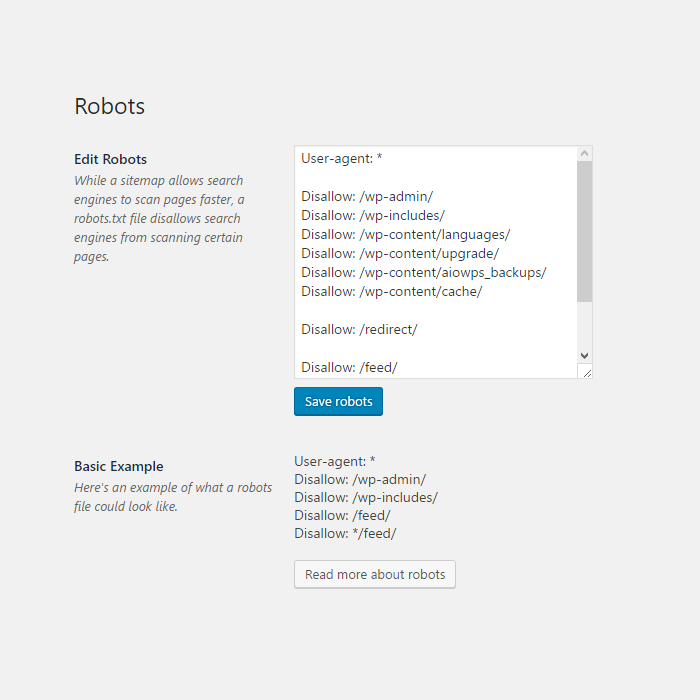
Edit robots file 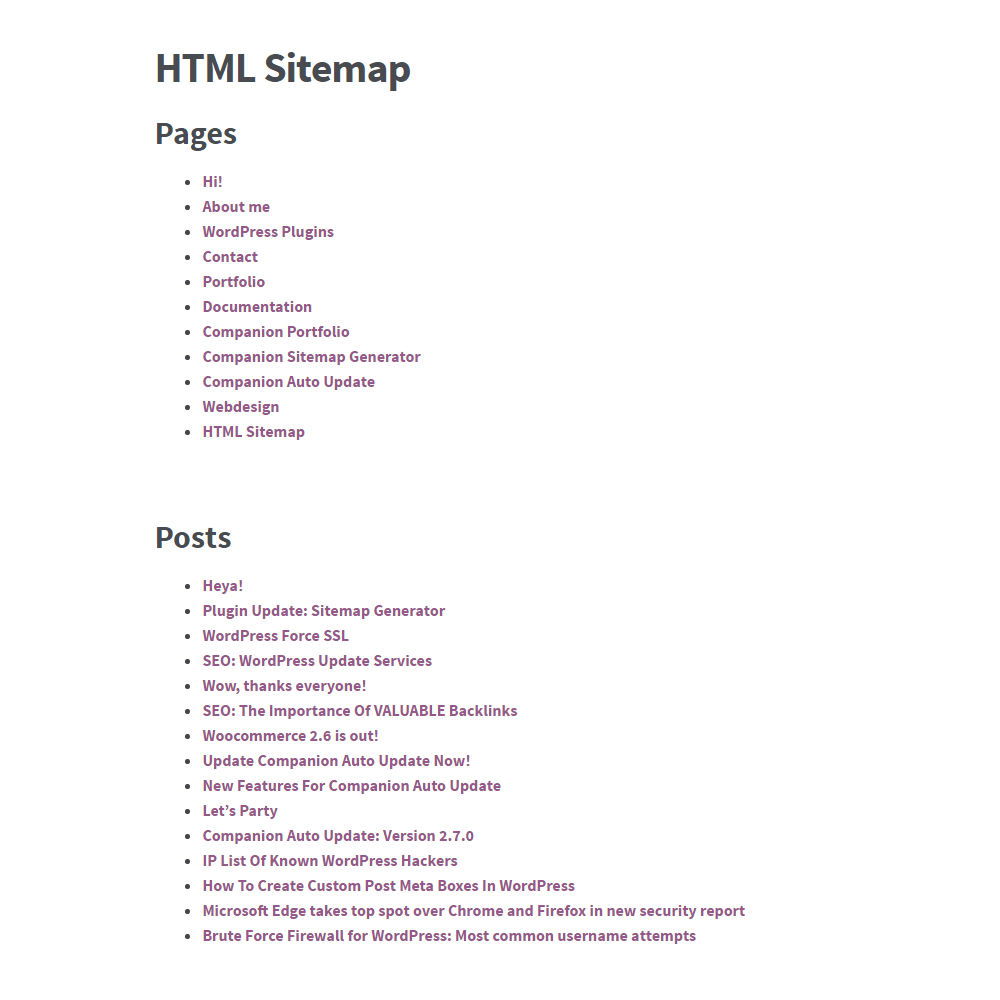
HTML Sitemap
Blok
Plugin ini menyediakan 1 blok.
- Companion Sitemap Generator - HTML & XML
Instalasi
Manual install
- Download Companion Sitemap Generator.
- Upload the ‘Companion Sitemap Generator’ directory to your ‘/wp-content/plugins/’ directory.
- Activate Companion Sitemap Generator from your Plugins page.
Via WordPress
- Search for ‘Companion Sitemap Generator’.
- Click install.
- Activate.
Settings
- Configure this plugin via Tools > Sitemap.
Ulasan


Kontributor & Pengembang
“Companion Sitemap Generator – HTML & XML” adalah perangkat lunak open source. Berikut ini mereka yang sudah berkontribusi pada plugin ini.
Kontributor

“Companion Sitemap Generator – HTML & XML” telah diterjemahkan dalam 8 bahasa. Terima kasih kepada para penerjemah untuk kontribusi-nya.
Terjemahkan “Companion Sitemap Generator – HTML & XML” dalam bahasa Anda.
Tertarik mengembangkan?
Lihat kode, periksa repositori SVN , atau mendaftar ke log pengembangan melalui RSS.
Log Perubahan
4.5.9.2 (March 20, 2024)
- Fixed another small issue with Additional pages
4.5.9.1 (March 8, 2024)
- Database version update to fix Yandex on update
4.5.9 (February 29, 2024)
- New: Added option to auto-ping to Yandex
4.5.8 (February 29, 2024)
- Fixed: Issue where it would show and empty “Additional pages” heading
4.5.7 (December 20, 2023)
- Fixed: Taxonomy items not showing up in HTML sitemap
- Fixed: Adding the XML sitemap to the HTML sitemap would break the page
4.5.6 (December 19, 2023)
- Improvement: Better performance on larger sites
4.5.5 (September 20, 2023)
- Fix: Fixed issue where multilingual would break the sitemap
4.5.4 (September 19, 2023)
- New: Added “Never” option for the auto update, because why not?
- Improvement: Better performance on larger sites
4.5.3 (June 12, 2023)
- Fix: XSS issues
4.5.2 (October 28, 2022)
- Fix: Critical error on Post content filter
4.5.1 (October 27, 2022)
- Fix: “The link followed has expired” error on Post content filter
4.5.0 (October 13, 2022)
- New: Add images to the sitemap Read more
- Fix: Squashed some bugs
4.4.3 (July 4, 2022)
- New: The plugin can now create missing files when needed rather than having you re-activate the plugin
- Fixed: ACTUALLY added the option to remove the “changefreg” tag from the sitemap
- Fixed: ALTER TABLE queries slowing down site on some occassions
4.4.1 (February 2, 2022)
- New: Added option to remove the “changefreg” tag from the sitemap
- New: Added more option to the auto-updater
- Tweak: Made some slight improvements to the code
- Tweak: Fixed a minor styling issue with WP5.9
4.4.0 (April 6, 2021)
- New: Limit the number of posts shown per block in the HTML sitemap
- New: Option to add a link to the XML sitemap in the HTML sitemap
- Tweak: Fixed the overlapping of the robots textfield
- Tweak: Updated some deprecated functions to newer funtions
4.3.1 (December 9, 2020)
- Fix: Error when adding additional pages
- Fix: Undefined variable when saving settings
4.3.0 (November 24, 2020)
- Fix: Sometimes settings wouldn’t save
- Fix: Sometimes some pages wouldn’t get excluded
- Fix: Translation URLs will only get added if the translation is actually published
- Notice: We’ve made some big changes to the database connection, making it better and safer but this does mean that some settings might get lost in the process
4.2.0 (July 11, 2020)
- New: We can notify search engines about changes made
- Tweak: Only load frontend stylesheet on the HTML sitemap page when gutenberg block is used
- Tweak: Hard-coded headings in sitemap listing are no longer hard-coded
- Fix: Some columns wouldn’t display properly on mobile devices
4.1.0 (March 11, 2020)
- New: A better, cleaner dashboard. We’ve also moved support, settings and the robots editor to here
- New: Additional pages, add pages outside of your WordPress installation to your sitemaps
- Tweak: Support for WordPress 5.4
- Tweak: Minor security improvements
4.0.4 (January 10, 2020)
- Fixed issue where the sitemap wouldn’t load in the backend
- Various security improvements
4.0.3 (January 5, 2020)
- Fixed an issue where sometimes you couldn’t uncheck an item in the content filter
4.0.2 (January 4, 2020)
- Fixed an issue where the XML sitemap would seem blank
- Fixed an issue where sometimes the settings wouldn’t actually save
4.0.1 (January 3, 2020)
- Removed shortcode generator in favor of Gutenberg block
- Moved settings to new tab called “Settings” and gave the dashboard a redesign
- Renamed the “Exclusion” tab to “Content filter”
- Fixed a few (minor) errors
- Made some under the hood security and performance improvements
4.0 (January 2, 2020)
- New: We’ve added a fancy shiny gutenberg block to replace the shortcode